





DEMO SELLING CASE
See how it works


It's so easy to set up.
-

Install our app
Find and install our app on the Shopify App store in a second
-

Create your options
Add options easily with our drag-and-drop form builder
-

Publish your options
Bulk apply options to multiple products by automation


HIGHLIGHT FEATURE
Multiple option types for multiple goals
Choose and combine your product options from 20+ types of custom fields:


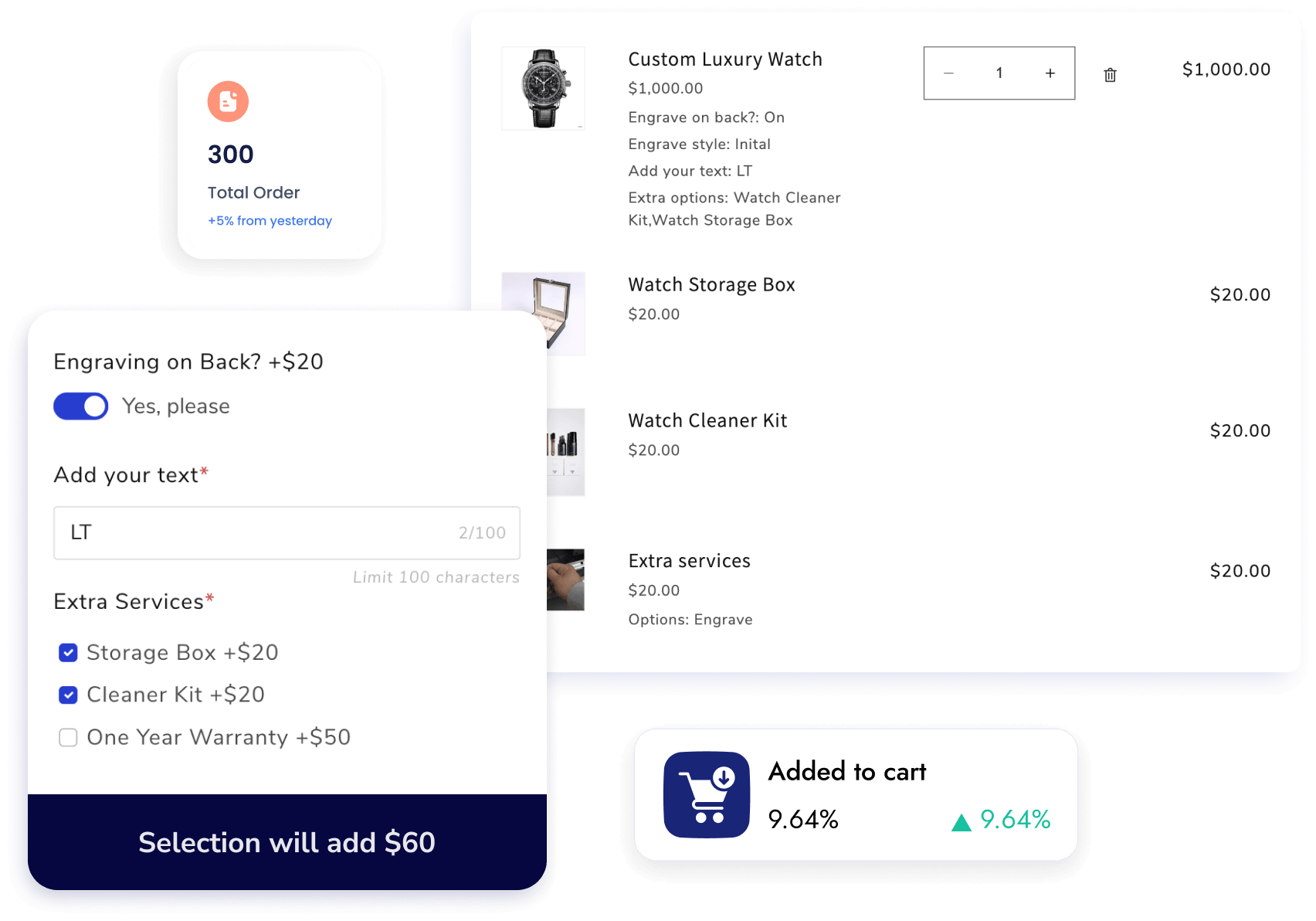
Price Add-ons for bigger basket
Assign prices for all available options by linking options with existing Shopify product variants and their prices to become extra charges.
Conditional logic for relevant choices
Decide when product options fields will be visible on the product page based on the customers' previous selections of fields or product variants.

The most user-friendly product options app ever made
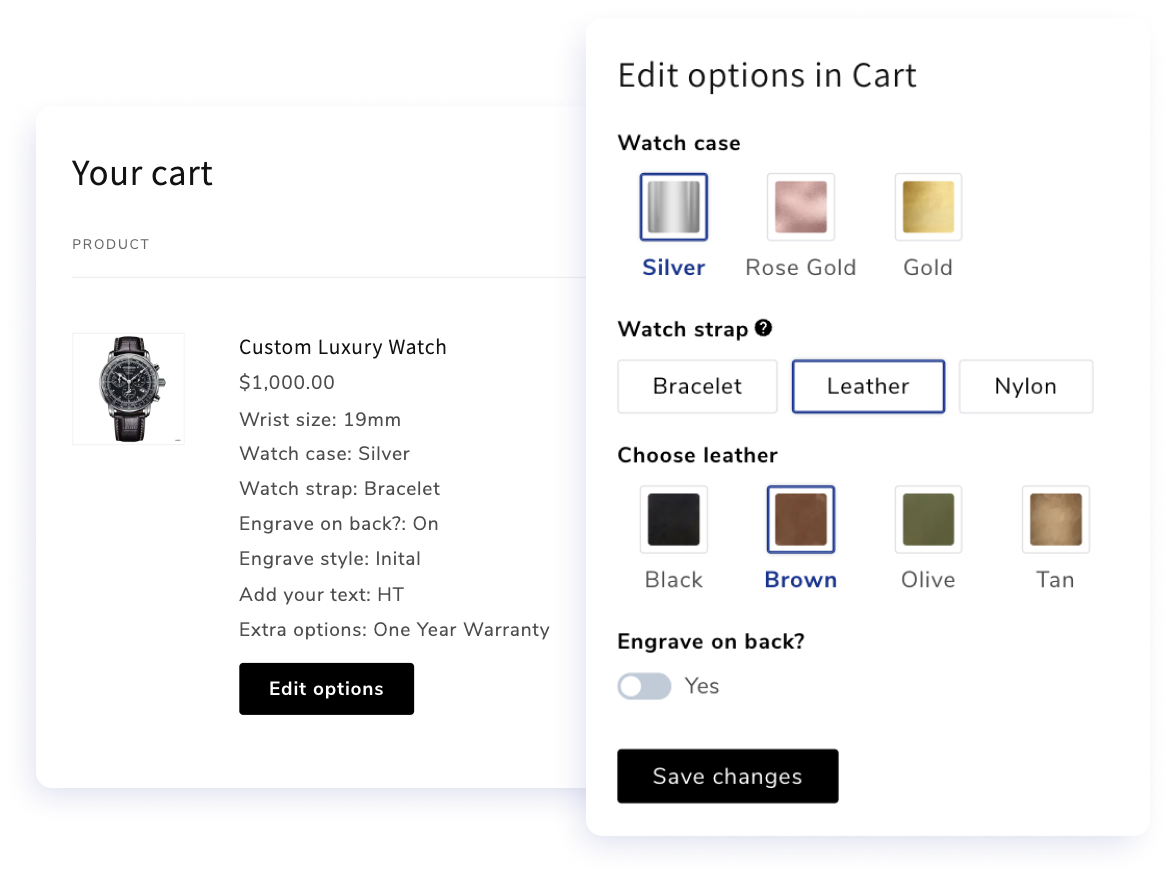
In-cart Editing for worry-free purchases
Reduce cart abandonment by allowing quick fixes and adjustments without leaving the checkout flow.
Dynamic Swatches for appealing variant pickers
Use color swatches, image swatches, or other formats (button, radio, dropdown, dropdown image/color,...) to highlight product features and options.
AI recommendations for product options templates
One click scans your store and suggests the best option set templates for your products. Want something specific? Just type a prompt and let AI build the suggestion for you.
More features built with you in mind
-

Pre-selected Options
Choose the set value for product options by defaults when buyers visit product pages.
-

AI recommendations
Set up product sets in seconds using AI scan and template recommendations
-

Tooltips & Default value
Show short text of instructions or notes for customers when customizing their products.
-

Form Display
Display dynamic options on Quickview collection page or Features products home page
-

Global Style Settings
Customize your options style, display types, and colors to reflect your brand.
-

Required/ Optional fields
Make fields required or optional, and show warning message if required fields are blank.
-

Limit file upload format
Allow customers to up any type of file or just allow them to upload some specific types
-

Limit date picker
Limit some date customers can or can not select like past date, weekdays, or any specific day
-

Change option position
Display options under Description, before quantity selector, or open options in popup modal
-

Show option everywhere
From cart, checkout, order detail to confirmation email, packing slip to increase purchase confidence
-

Quantity on option value
Allow customers to set a quantity of any option value they choose
-

Live Chat Support
Our support team are always ready to come to rescue via the live chat in-app.


Frequently asked questions
1. How is Qikify Custom Product Options different from Shopify's built-in product variants and other apps on the App Store?
Shopify's native variants cap out at 100 combinations and only support basic option types. Most third-party apps extend that, but charge extra for essentials like conditional logic, price add-ons, or file uploads. Qikify gives you 30+ option types, unlimited variants, conditional logic, and price add-ons — all included from the free plan, with templates to get started quickly.
2. What kinds of product options can I create with Qikify Custom Product Options?
Text boxes, image and color swatches, file and image uploads, date and time pickers, checkboxes, dropdowns, radio buttons, font selectors, quantity selectors, and more, 30+ option types in total. You can also add price add-ons for specific selections, so options like gift wrapping or rush processing automatically adjust the order total.
3. Can I show or hide options based on what the customer selects?
Yes. Conditional logic lets you display certain options only when specific selections are made, either based on other custom options or existing Shopify variants. So customers only see what's relevant to their choices, keeping the product page clean and easy to navigate.
4. Will the selected options show up in orders, emails, and invoices?
Yes. Custom options sync across orders, confirmation emails, invoices, and packing slips — so your team always has the full picture of what the customer requested, without any manual tracking.
5. Can I apply options to multiple products at once?
Yes. You can bulk apply option sets to multiple products at once, and import or export options via CSV — which saves a lot of time if you're managing a large catalog or migrating from another setup.
6. Is there a free plan available for Qikify Custom Product Options?
Yes. The free plan includes 20+ option types, unlimited option sets, unlimited products and orders, 10+ ready-made templates, conditional logic with Shopify variants, and live chat support. The Unlimited plan at $19.99/month adds price add-ons, bundles, date picker, file upload, quantity selector per option, CSV import/export, and the ability to edit options directly in the cart. Learn more about the pricing here.
7. Will I receive technical support for Qikify Custom Product Options?
Yes, on all plans including free. Live chat support is available, and the team is known for hands-on help, from setup and configuration to resolving theme compatibility issues.
Can't find the answer you're looking for? Our dedicated support team is ready to help you with any issues you might encounter. Email: contact@qikify.com
Try app on your Shopify store today 👋
- Choosing a selection results in a full page refresh.
- Opens in a new window.