


Maximize your promotion offer performance and convert more with this combination with Shopify native discount

Product
Qikify Upsell Bundle
Goals
When and which brand should apply this case?
Brands are seeking to improve cross-selling promotion strategy
Features used
- • Cross-sell, Upsell offer type — create a "Buy X Get Y" offer that rewards customers with a free or discounted item.
- • Combinations settings — turn on the "Shipping discounts" combination so the offer can stack with a free shipping discount.
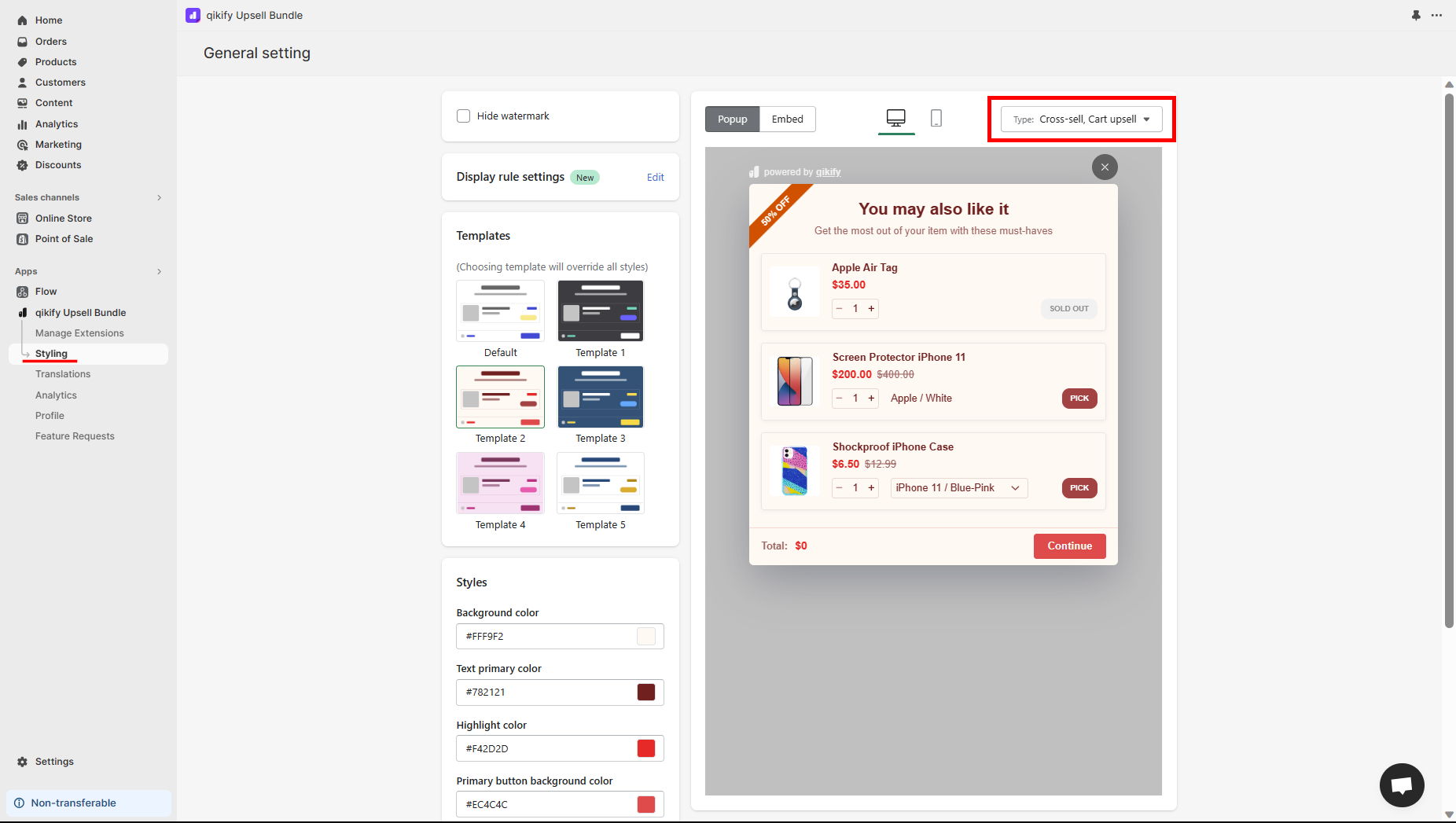
- • Offer pop-up/embed styling — customize the look of your cross-sell offer pop-up or embed layout.
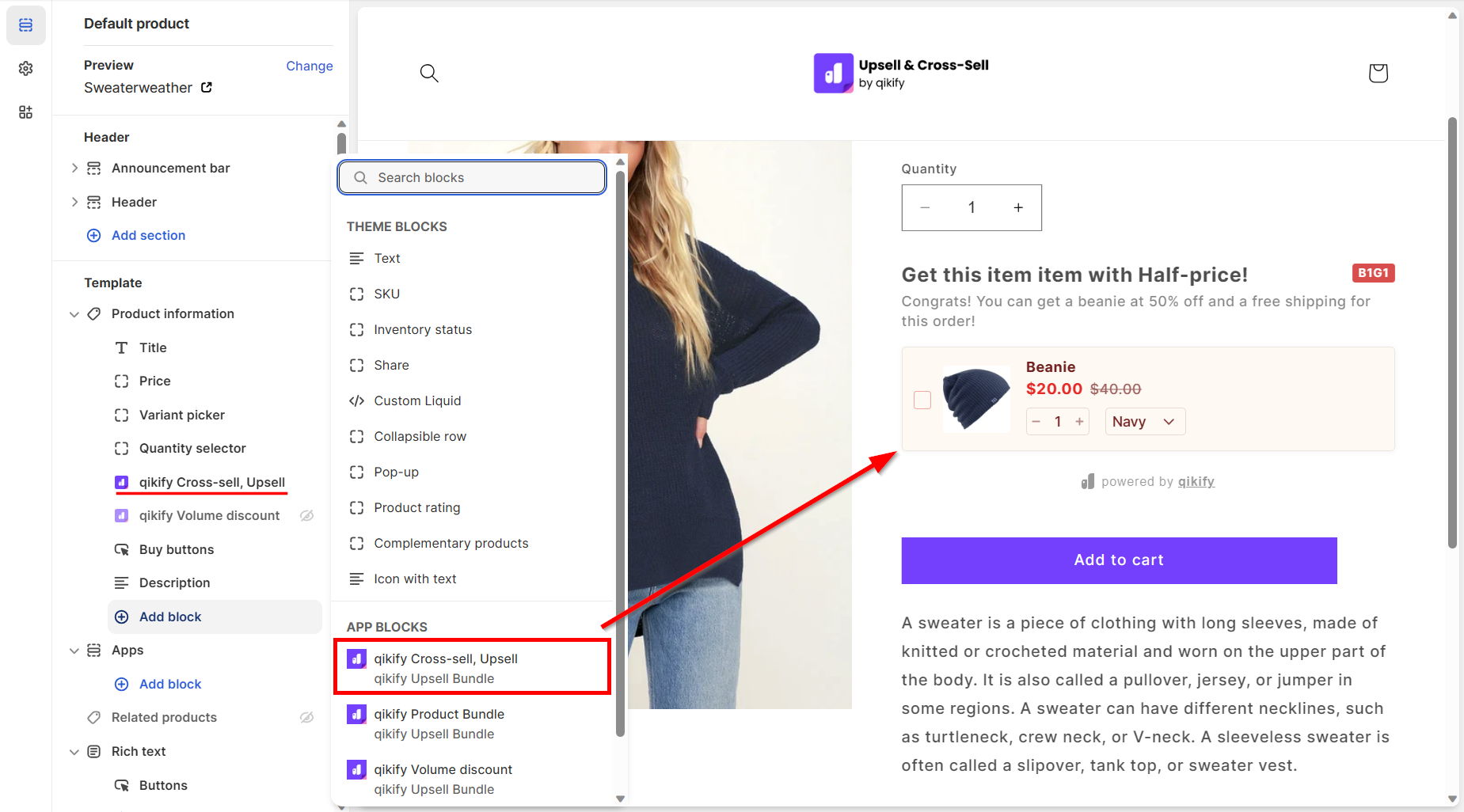
- • Product page app embed — add the "qikify Cross-sell, Upsell" block to showcase the offer on the product page.
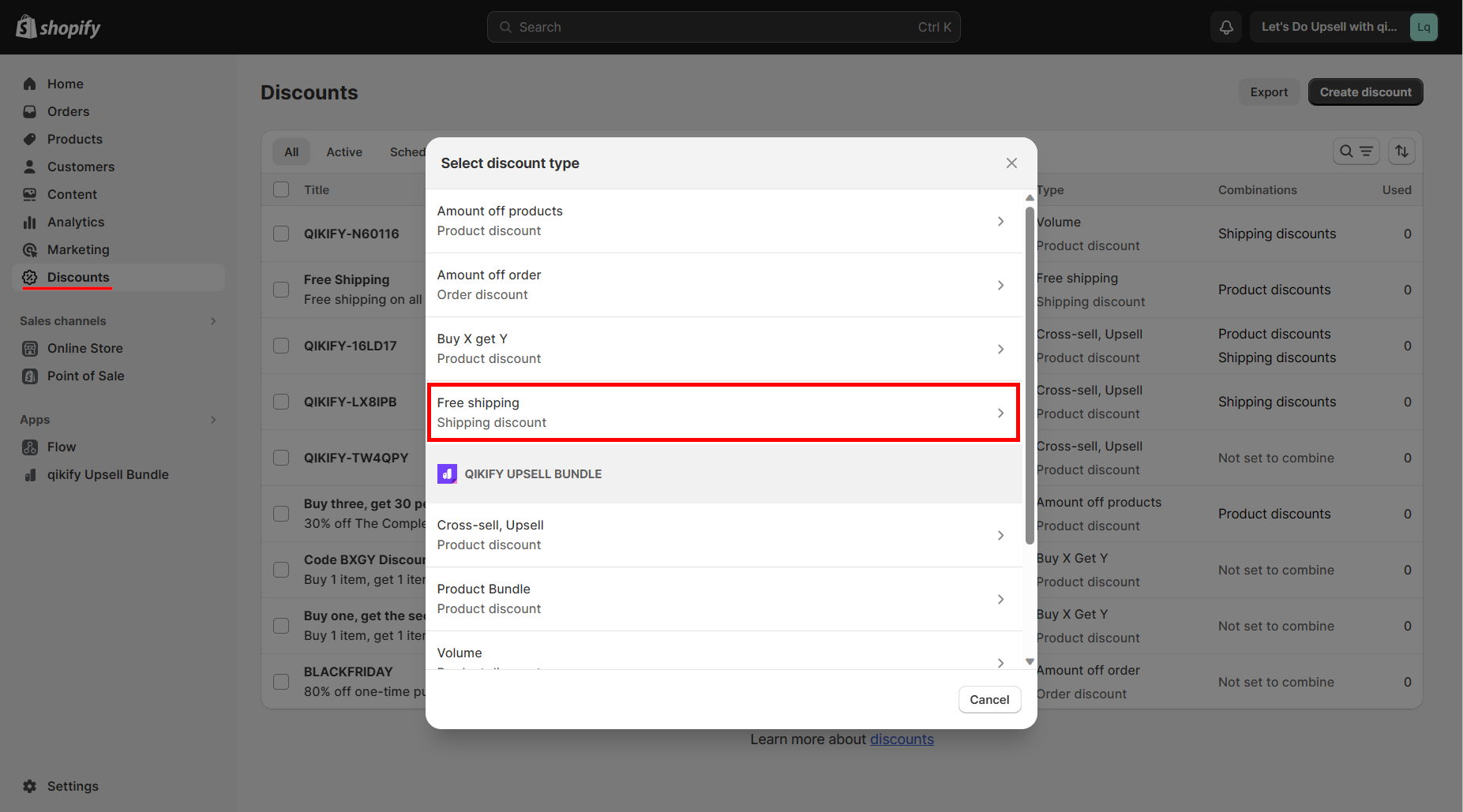
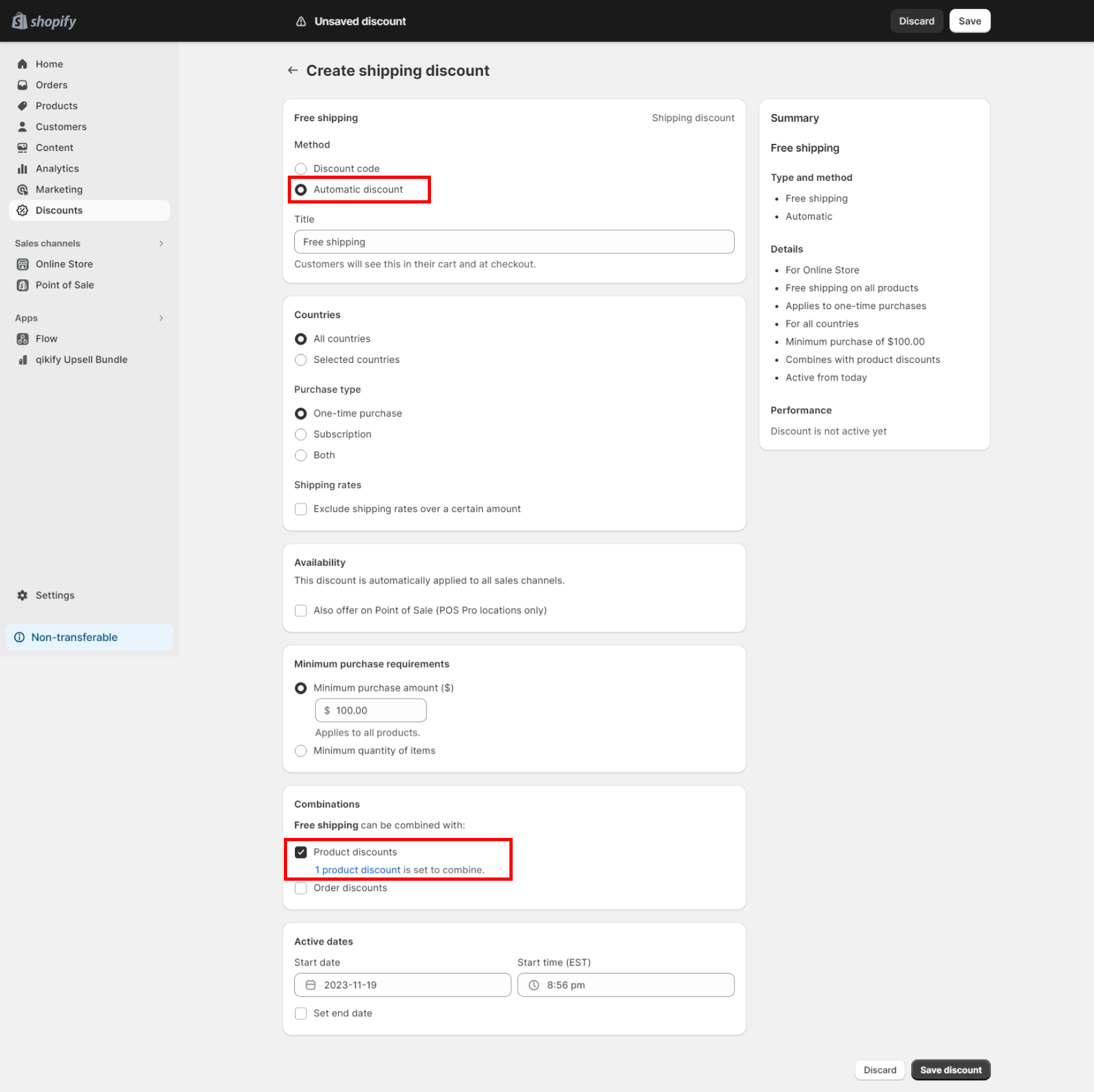
- • Shopify automatic discount — set up a Free Shipping discount as automatic, combinable with product discounts.
Instructions
Step 1: Log in app dashboard
Log in to your store admin and open "Qikify Upsell Bundle" app. If you haven't installed our app, you can free to do it from here.
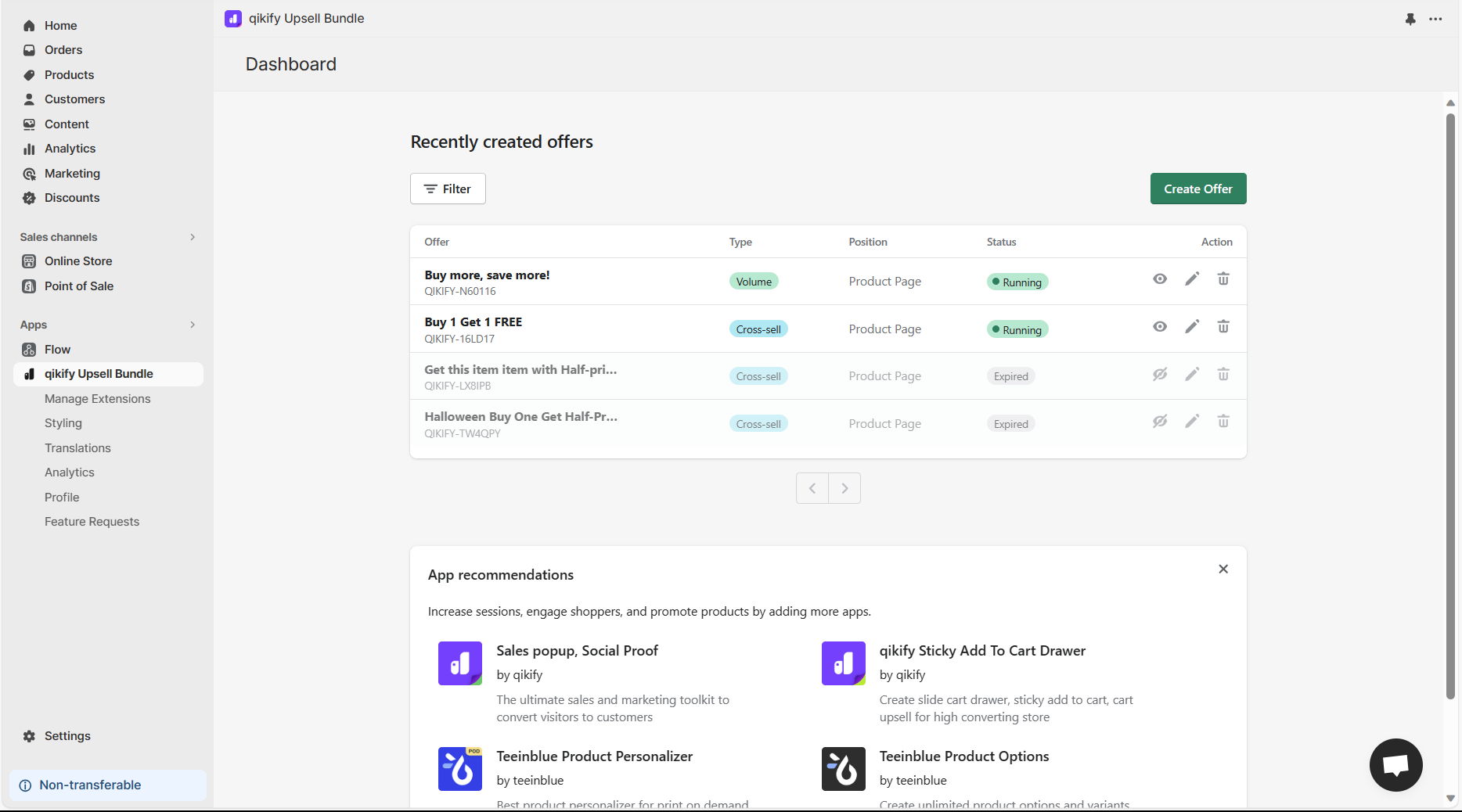
Step 2: Create offer "Buy X Get Y"
Click on "Create Offer" button in the app dashboard, then select "Cross-sell, Upsell" offer type
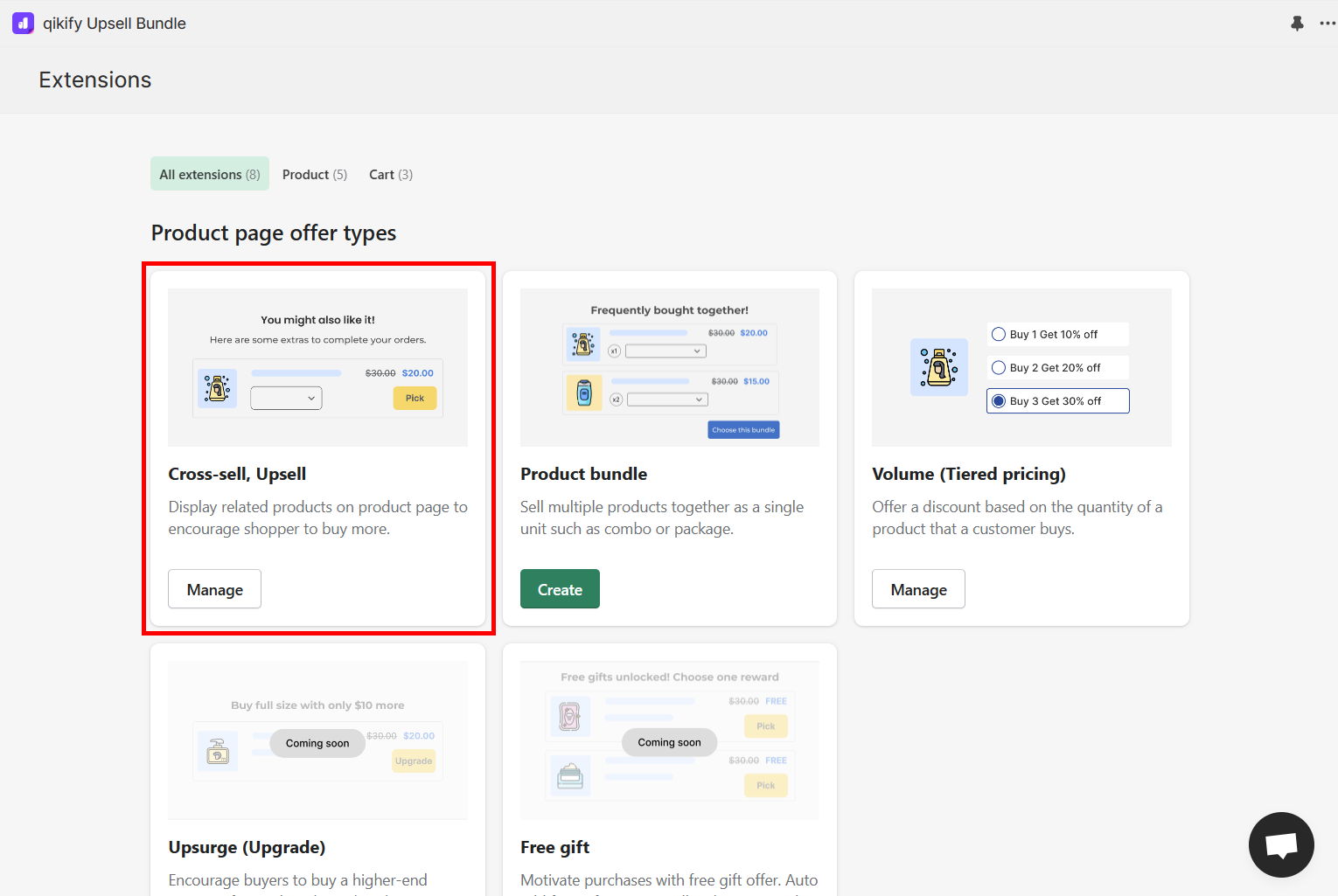
Step 3: Set up offer details
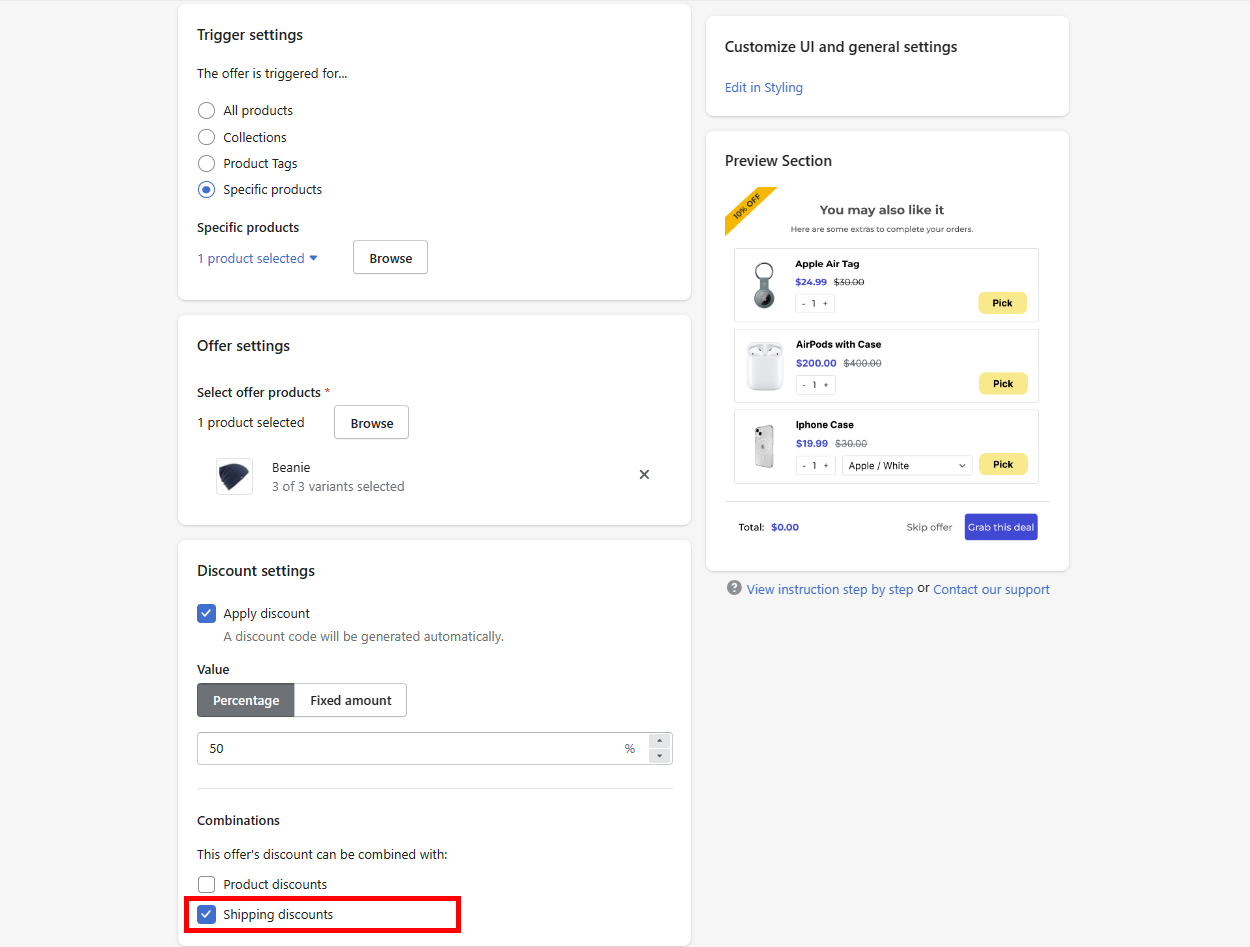
Configure your offer details. Remember to turn on the Combinations setting of "Shipping discounts"
Other settings are very straightforward and easy to follow the instruction in-app. Nevertheless, if you encounter any difficulties, feel free to reach out to our support team in the live chat.
Step 4: Style your cross-sell offer pop-up/embed
You can then go to "Styling" section to customize your cross-sell pop up/embed layout style.
Step 5: Add app embed to your product page (optional)
If you use app embed layout, this is a crucial step to display your offer in product page.
- From Shopify admin, open Theme editor > Go to Product page editor
- Then, add new block in the Product information section
- Choose "qikify Cross-sell, Upsell"
Step 6: Create Free shipping automatic discount in Shopify Discounts
- Go to Discounts in Shopify admin > Create a new "Free shipping" discount
- Configure Shopify discount. Remember to select "Automatic discount" and combinations setting of "Product discounts"
Demo video


