


How to improve the upselling conversion rate using social proof? Our tips to boost your summer sales promotion!

Product
Qikify Upsell & Free Gift

Product
Qikify Sales Popup & Proof
Goals
When and which brand should apply this case?
For brands that seeking for solution to improve upselling conversion rate and especially for seasonal sales campaigns.
Features used
- • Free Gift — set up a tiered free-gift offer, delivered manually or automatically once customers meet the cart requirements.
- • Sales Pop — display a FOMO popup showing how many gifts other customers have already claimed.
- • Cart Countdown — add a countdown timer that creates urgency to claim the free gift before it runs out.
Instructions
We will create the Free Gifts offer and strengthen the offer with extensions to create the FOMO, urgency with two apps: Qikify Upsell & Free Gift and Qikify Sales Popup & Proof. If you haven't installed these apps, free to do it here.
Step 1: Create the Free Gift in Qikify Upsell & Free Gift app
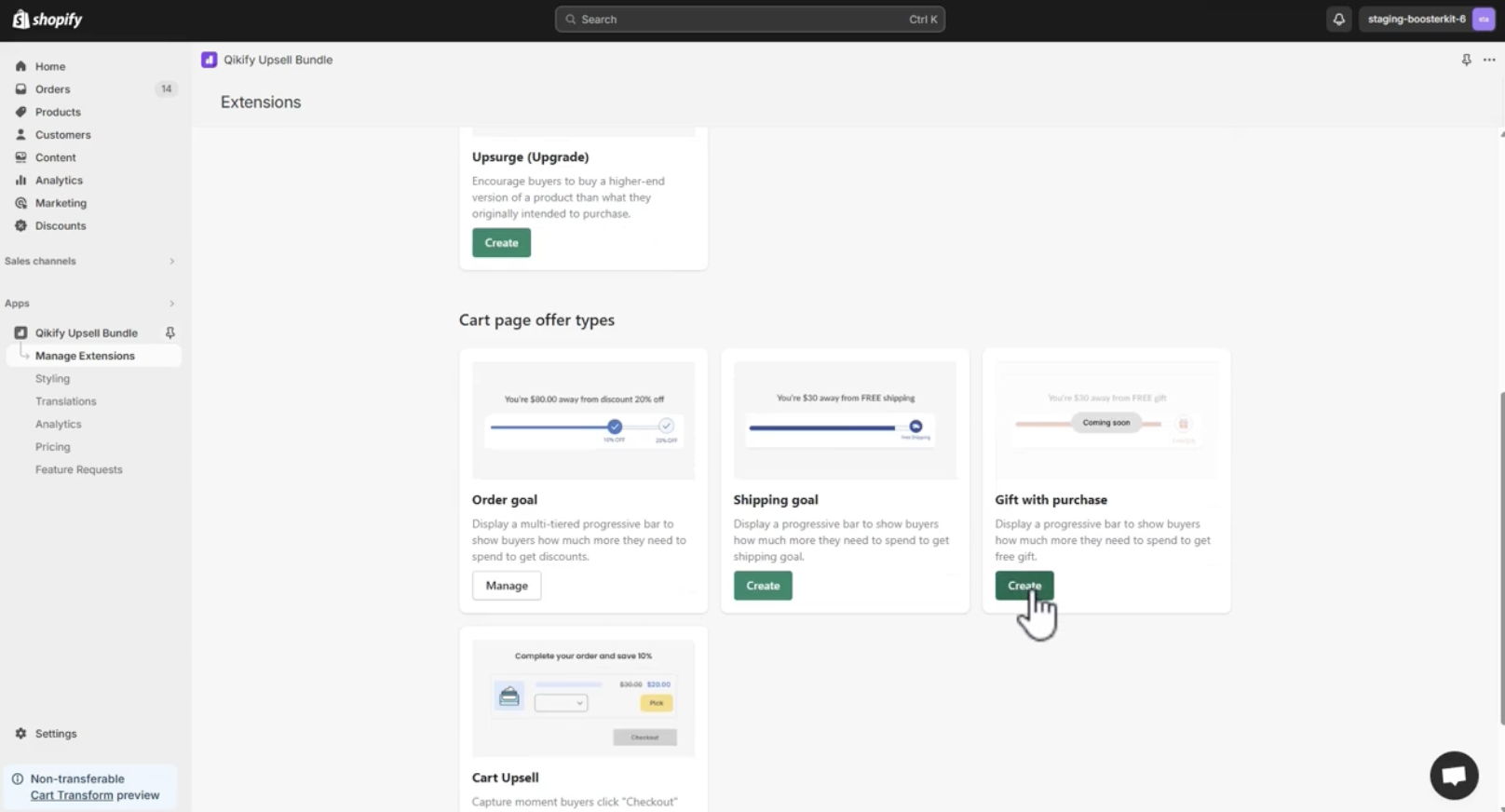
Step 1.1: Log in to your store admin and create the extension
Log in to your store admin and open "Qikify Upsell & Free Gift" app.
Step 1.2: Set up your Free Gift extension
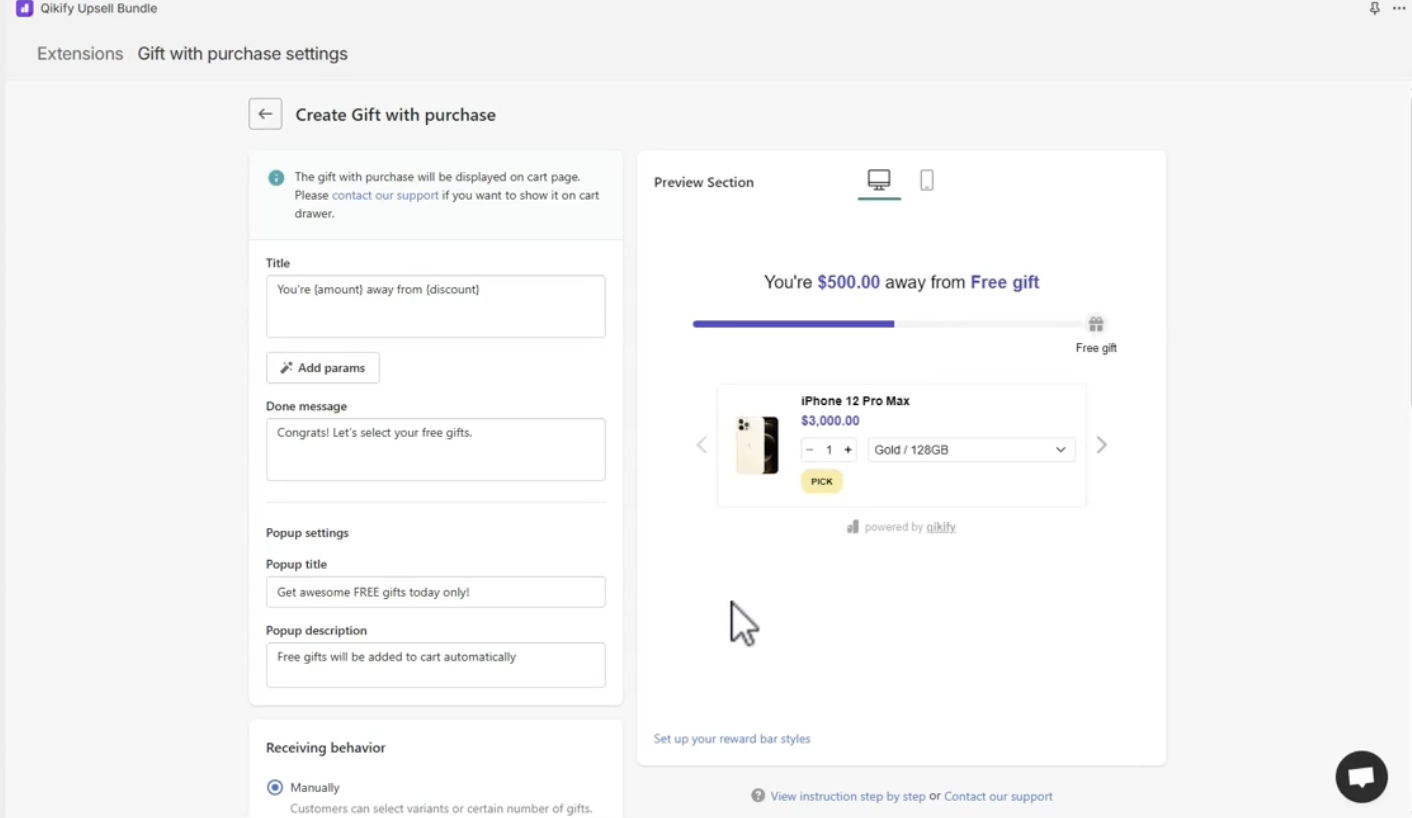
Create the settings for "Free Gift" extension regarding:
- The content: title, done message
- The popup settings: title, description
- Receiving behavior: as manually that customers can select variants or certain number of gifts; or automatically which means the gifts will be automatically added to cart when customers meet the requirements.
- The discount settings: tier details such as the min subtotal of cart, the selected gifts, etc.
Step 2: Combine it with Sales Popup and Cart Countdown using Qikify Sales Popup & Proof app
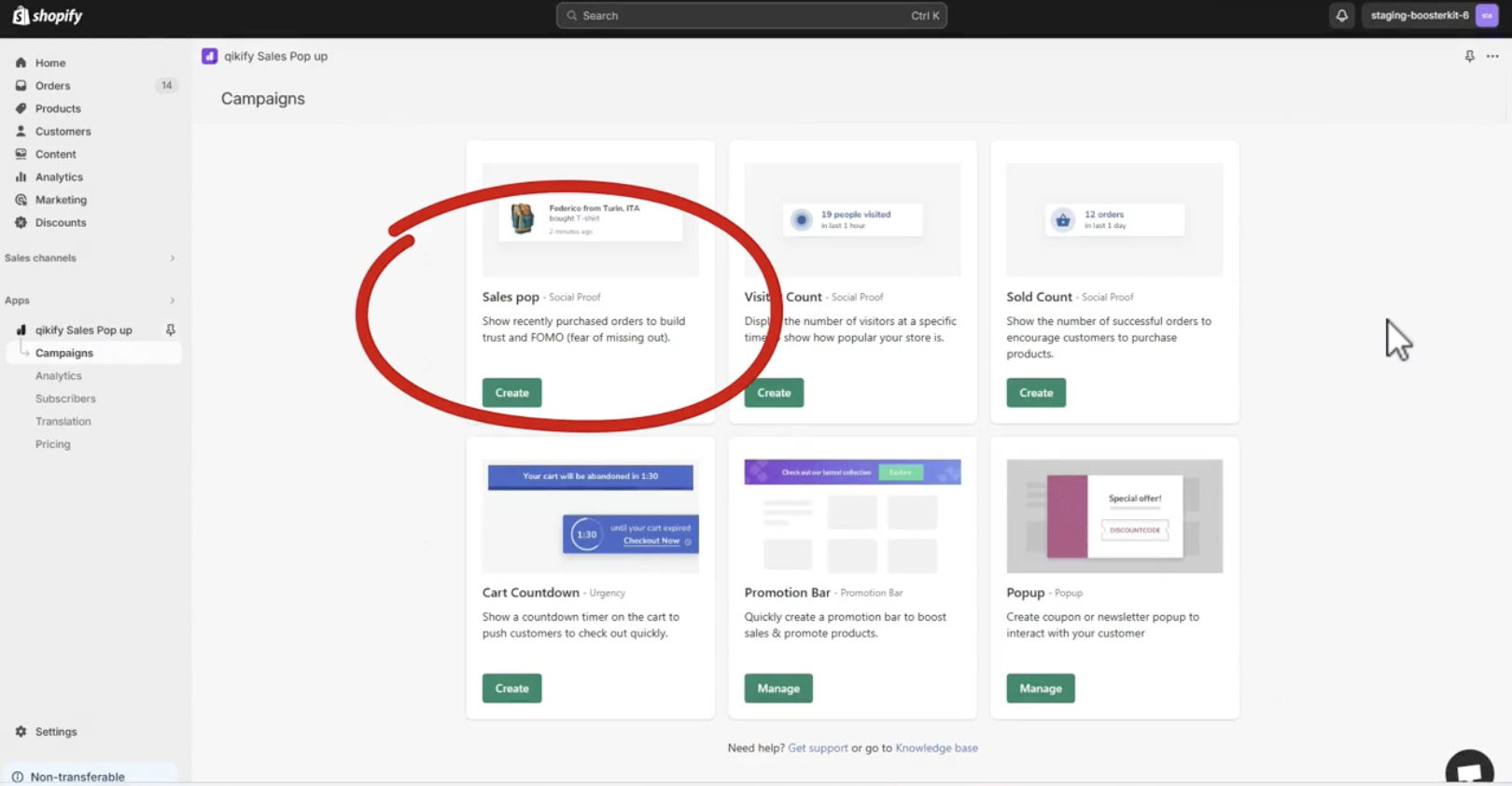
Step 2.1: Add a FOMO popup of gifts collected
Log in to Qikify Sales Popup app and create a new extension of Sales pop.
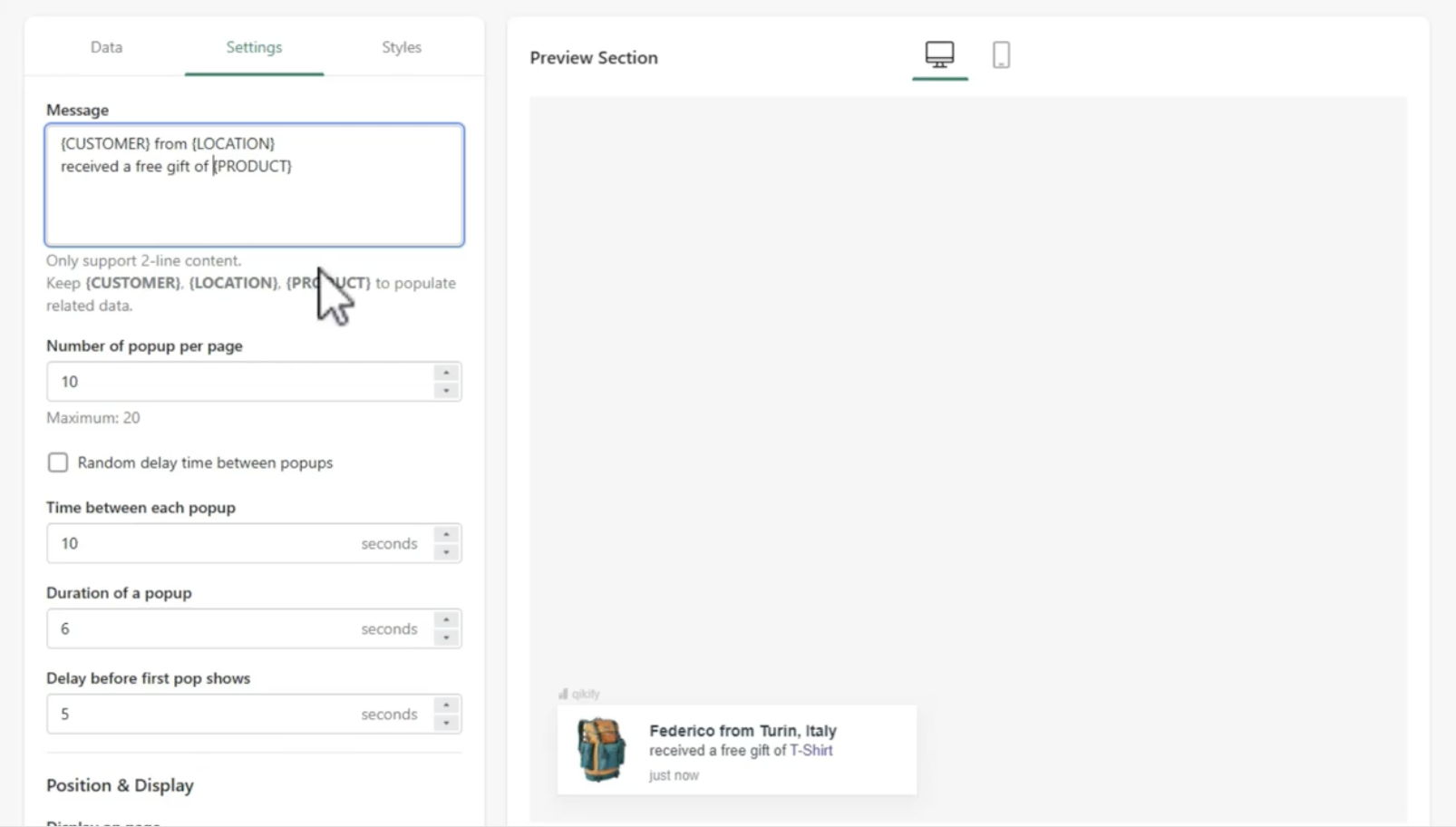
Step 2.2: Create the popup with content related to the Free Gift offer that you have created
Create the popup with message, the display page aligning to the Free Gift offer that you have created.
Step 2.3: Add an Cart Countdown timer
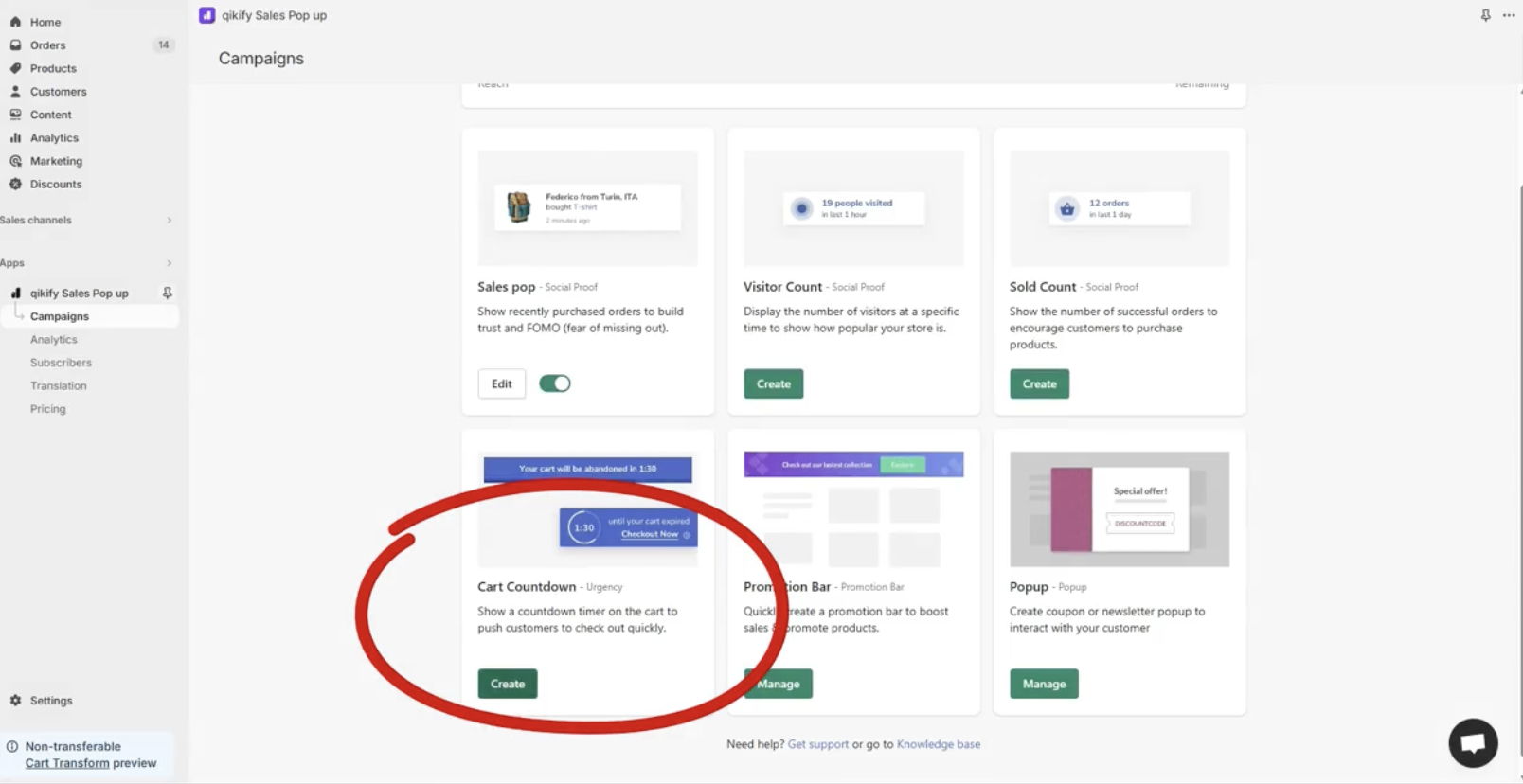
In the Qikify Sales Popup app, create another extension of the Cart Countdown to encourage customers to make decision quickly.
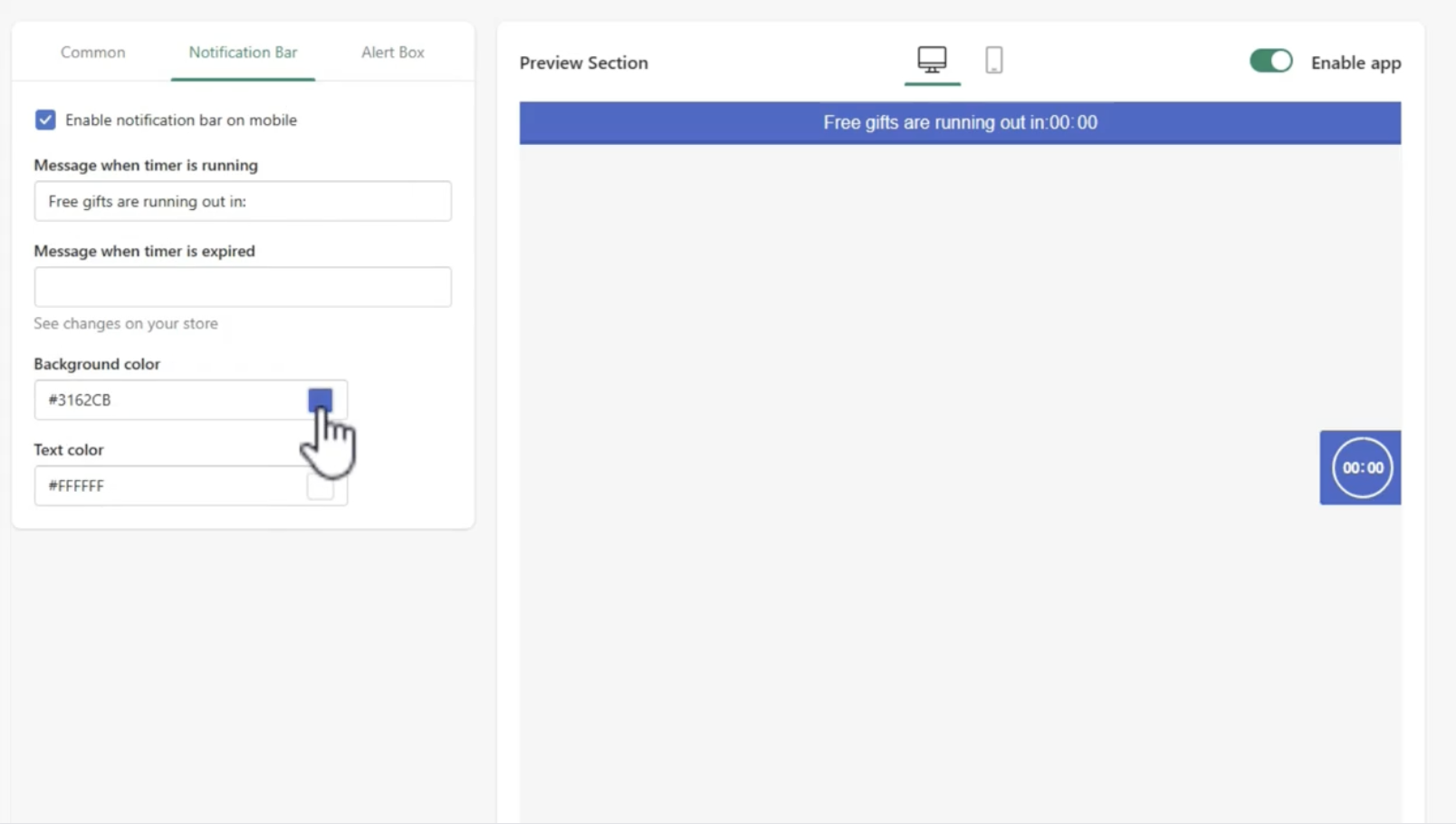
Step 2.4: Set up the Cart Countdown timer extension
Create the content of the Cart Countdown aligning to the Free Gift offer. In this example, you can see we set up it as: "Free Gifts are running out in:..."
Demo video


