


Recommend bundle offer to your customers to sell collection's items, combo or kit easily with an Amazon-like layout

Product
Qikify Upsell Bundle
Goals
When and which brand should apply this case?
For brands that seek to increase their sales with product bundle / combo / set / kit sales strategy
Features used
- • Product Bundle offer type — create Amazon-like bundle offers that combine multiple products into one purchasable set.
- • Bundle styling — customize your bundle's design, including a horizontal Amazon-like embed layout.
- • Product page app embed — add the "qikify Product Bundle" block to your product page via Theme editor.
- • Custom Apps section — for the horizontal embed layout, create a dedicated Apps section to showcase your bundle fully and aesthetically.
Instructions
Step 1: Log in app dashboard
Log in to your store admin and open "Qikify Upsell Bundle" app. If you haven't installed our app, you can free to do it from here.
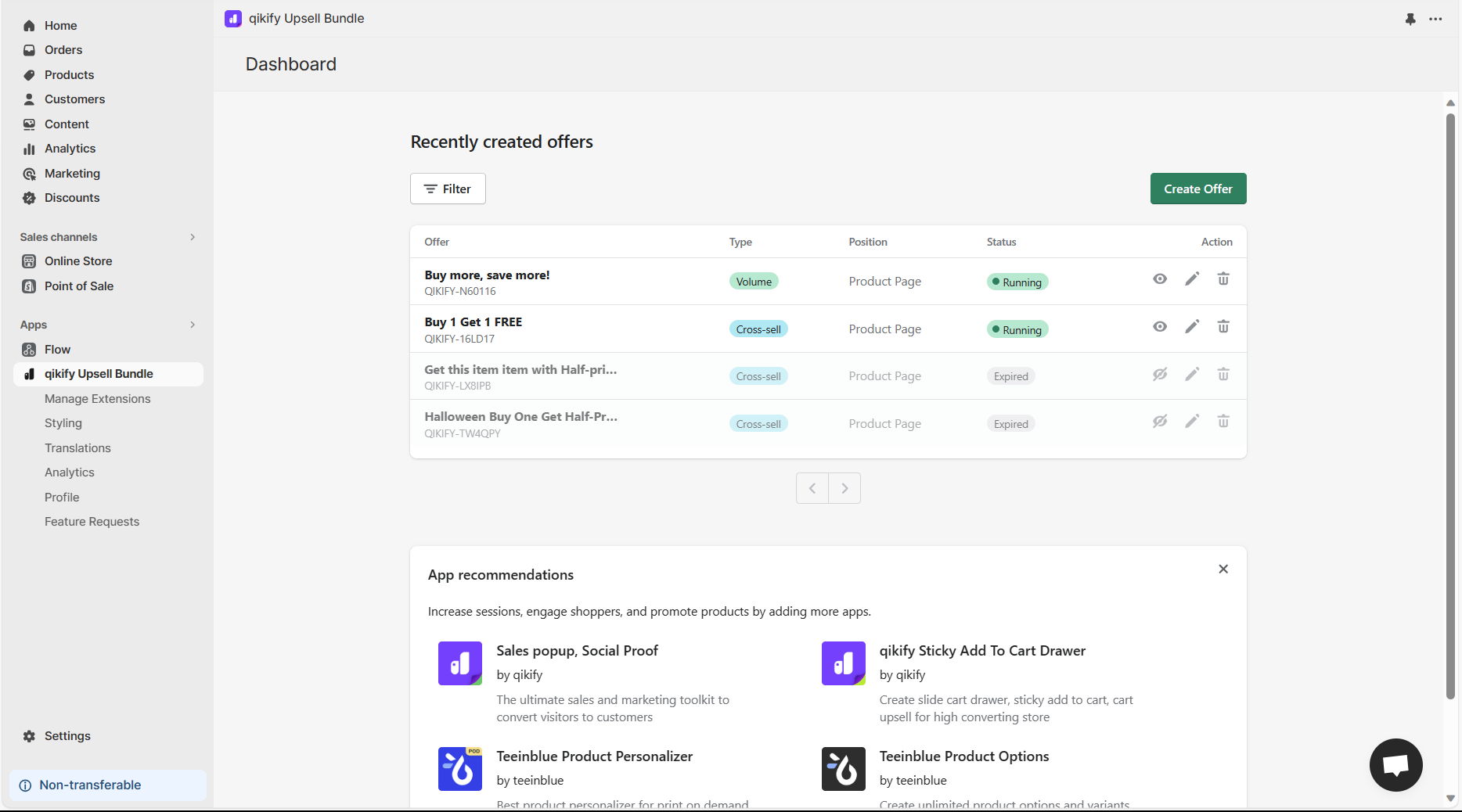
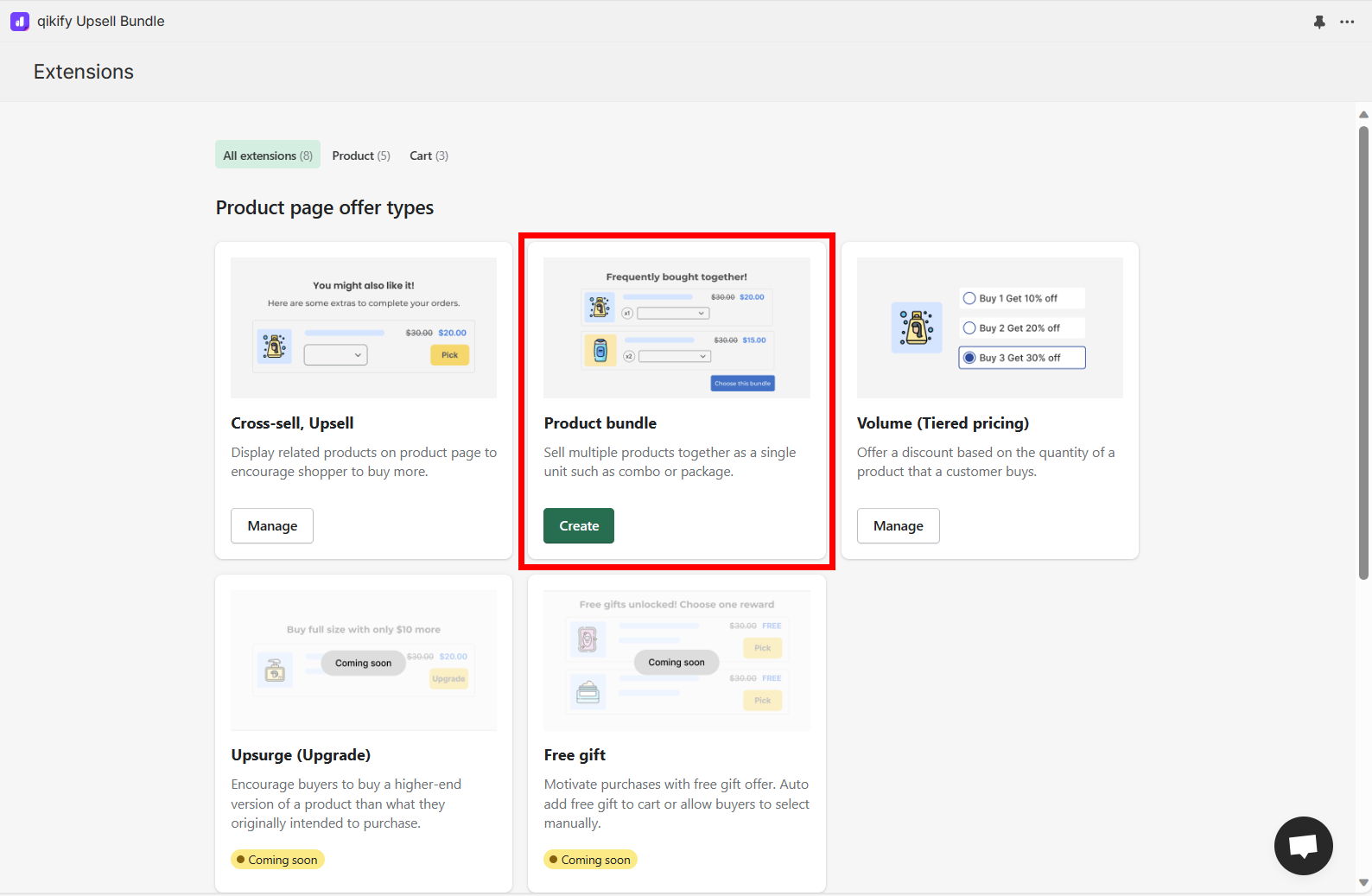
Step 2: Create offer "Product Bundle"
Click on "Create Offer" button in the app dashboard, then select "Product Bundle" offer type
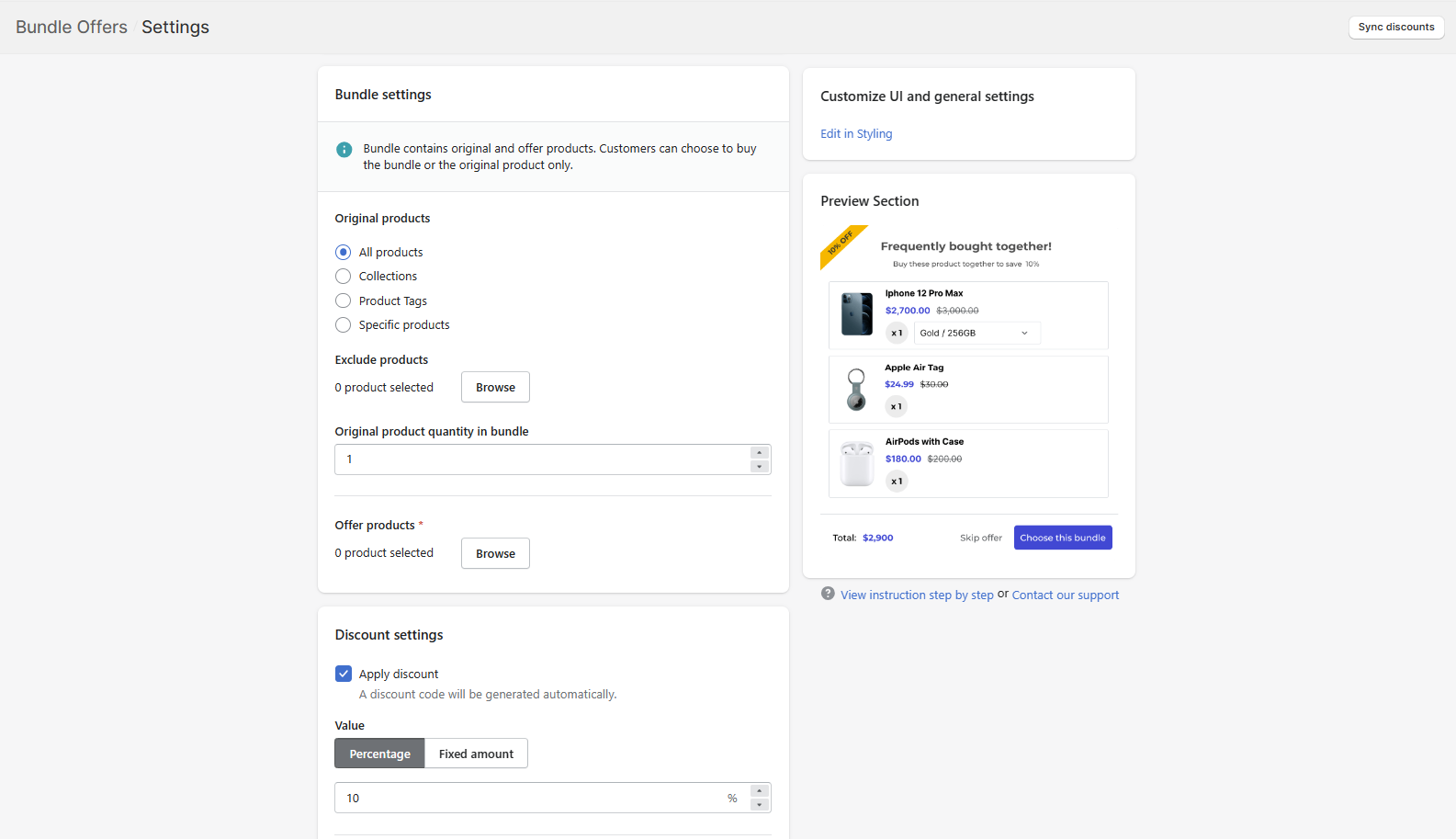
Step 3: Set up offer details
Configure your offer details. It's very straightforward and easy to follow the instruction in-app.
Nevertheless, if you encounter any difficulties, feel free to reach out to our support team in the live chat.
Step 4: Style your bundle
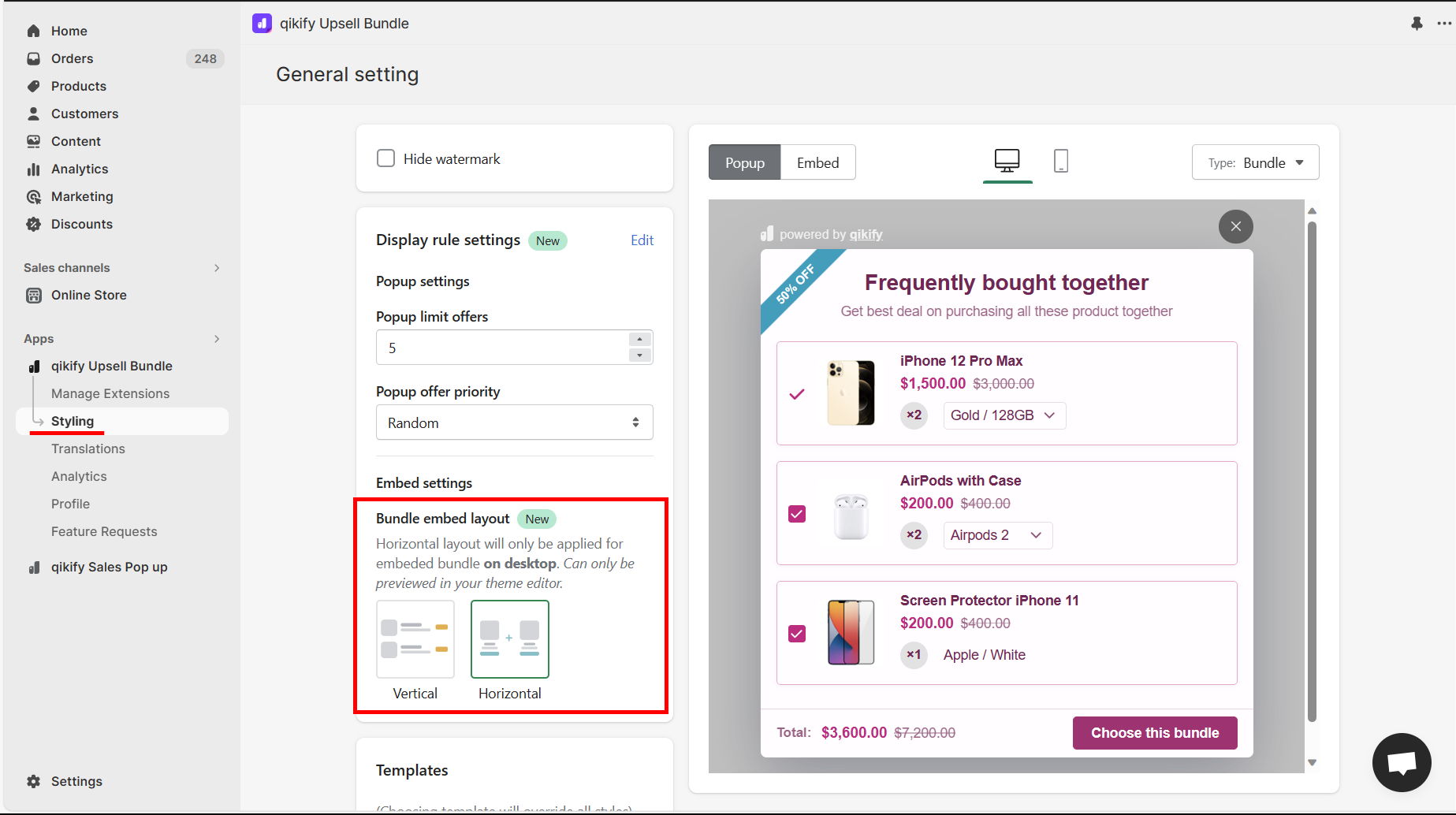
You can then go to "Styling" section to customize your bundle style.
Note: If you want to enable horizontal Amazon-like embed layout, follow our instruction in the image below.
Step 5: Add app embed to your product page (optional)
If you use app embed layout, this is a crucial step to display your offer in product page.
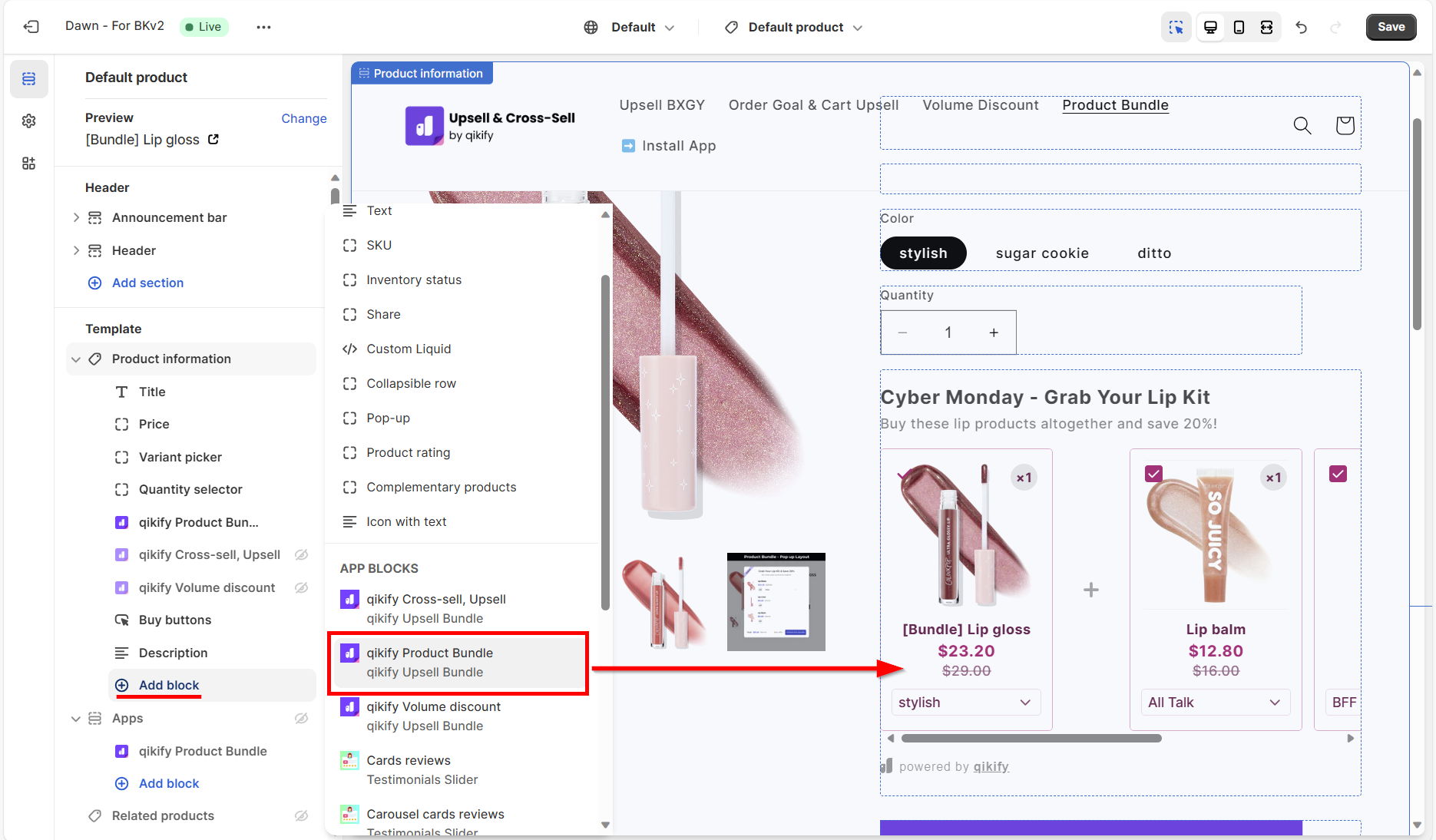
- From Shopify admin, open Theme editor > Go to Product page editor
- Then, add new block in the Product information section
- Choose "qikify Product Bundle"
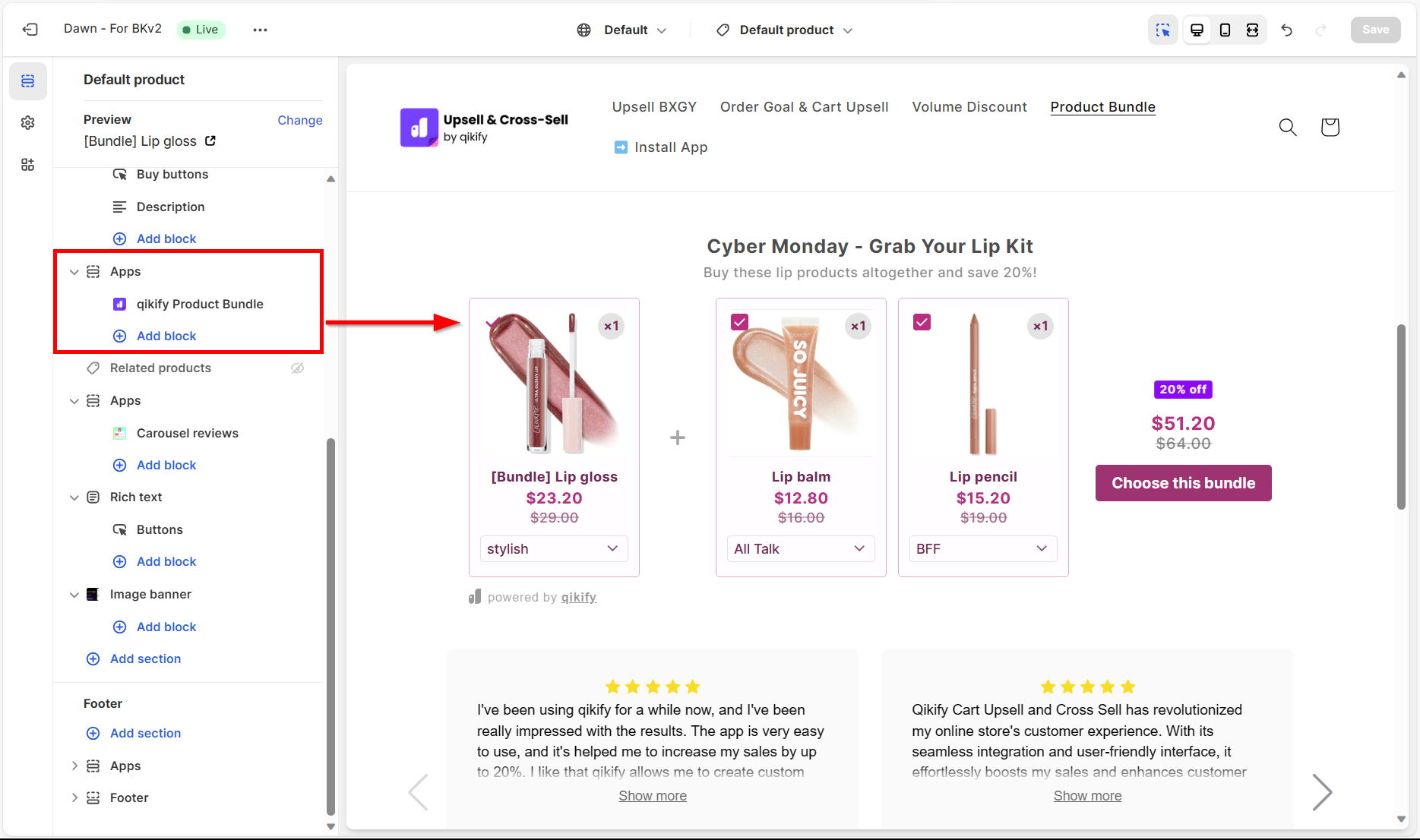
Note: For horizontal embed layout, we recommend you to create a new Apps section in the Product page to showcase fully and aesthetically your bundle.
Demo video


