


Sync product reviews from your favorite app and classify reviews in checkout by products

Product
Qikify Checkout Plus
Goals
Sync product reviews from 3rd-party app to checkout page
Display reviews by the exact product in customer's cart for checkout
When and which brand should apply this case?
For stores looking for displaying products reviews from 3rd-party app to checkout page.
Features used
- • Testimonials — display customer reviews directly on the checkout page.
- • Review App Integration — connect your third-party review app so reviews sync automatically.
- • Product-Specific Reviews — show reviews for the exact product in the customer's cart summary.
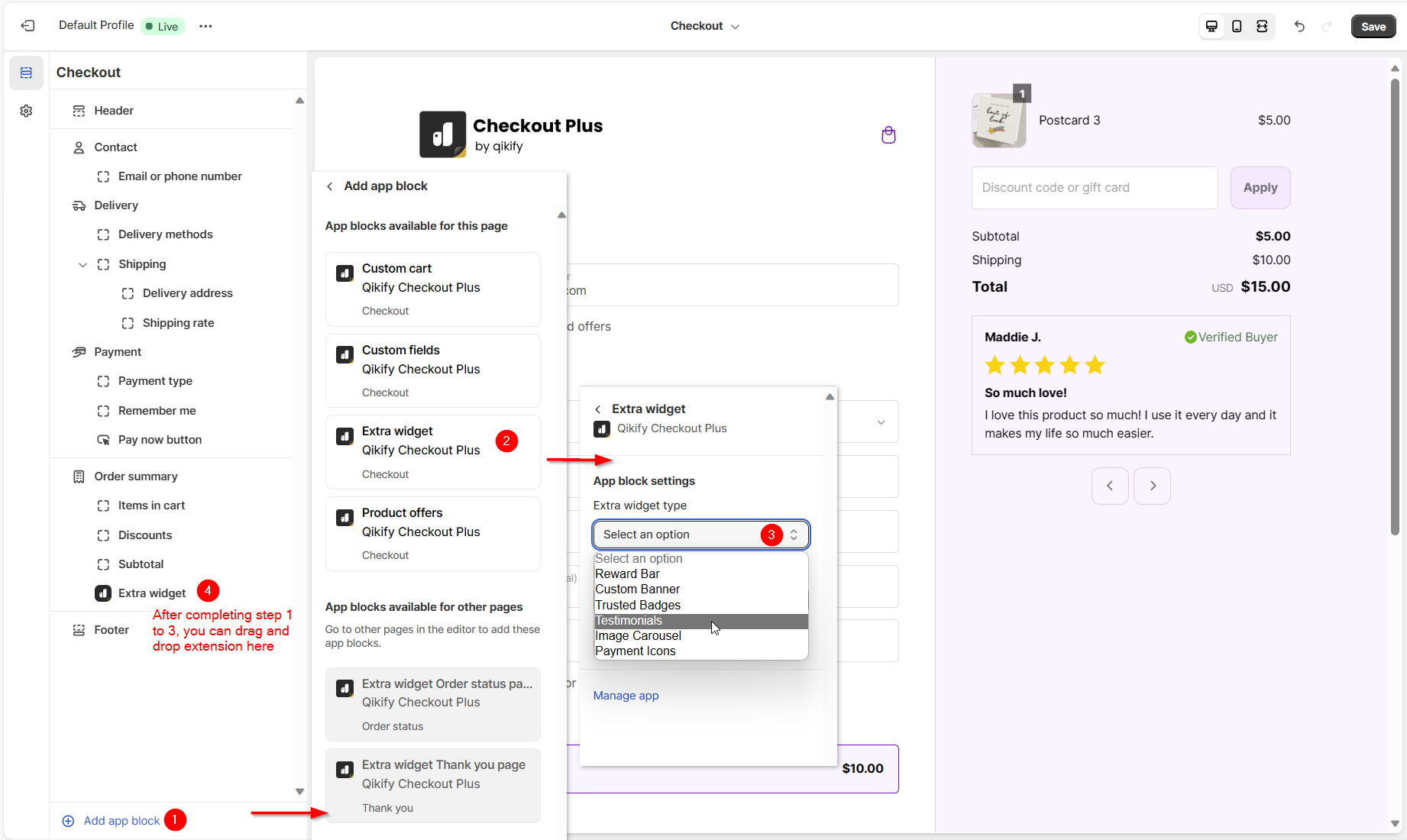
- • Checkout App Block — add the Testimonials widget to the checkout editor and drag and drop it into place.
Instructions
Set up a Testimonials extension syncing product reviews from 3rd-party app as instructed below.
Step 1: Log in app dashboard
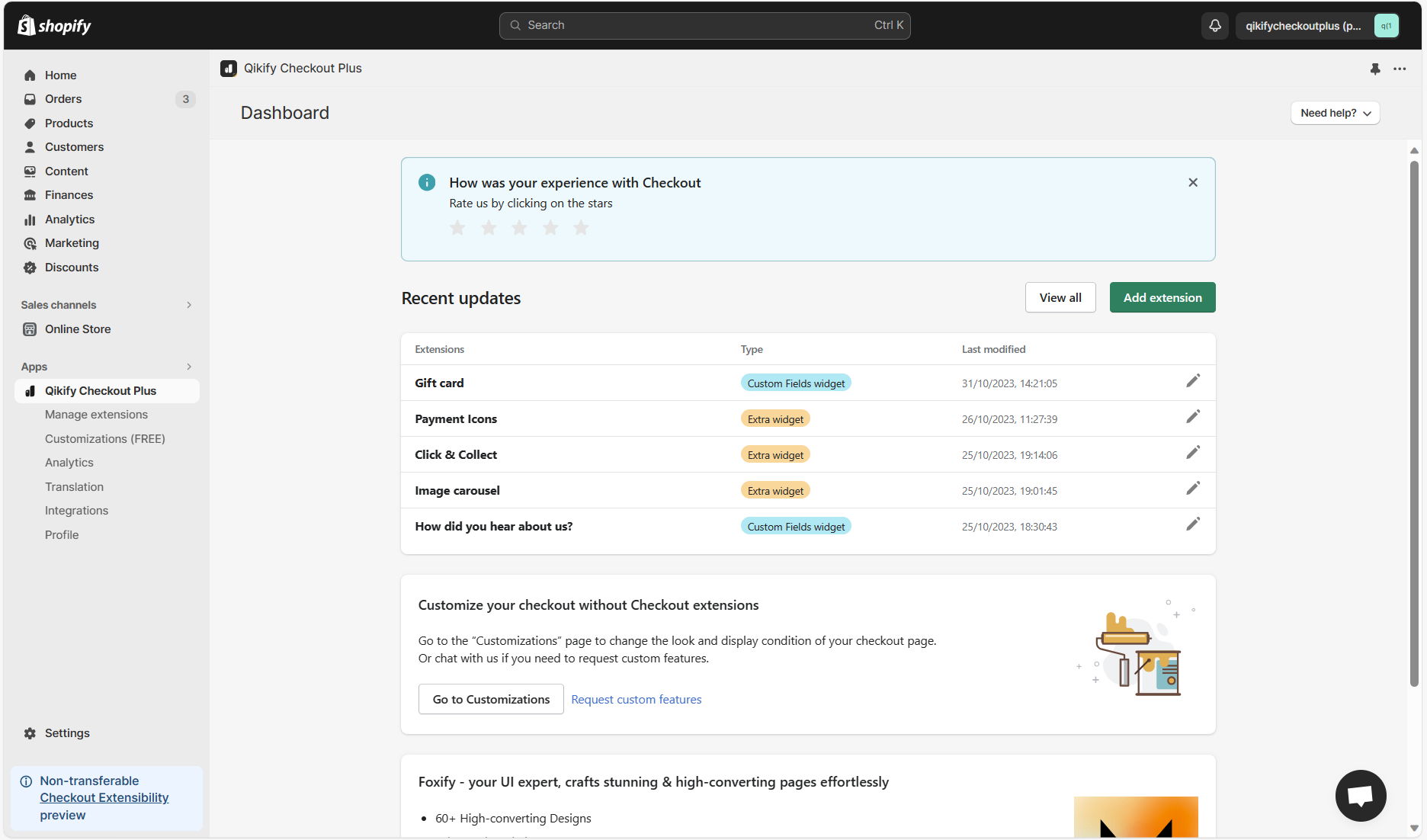
Log in to your store admin and open "Qikify Checkout Plus" app. If you haven't installed our app, you can free to do it from here.
Step 2: Add extension "Testimonials"
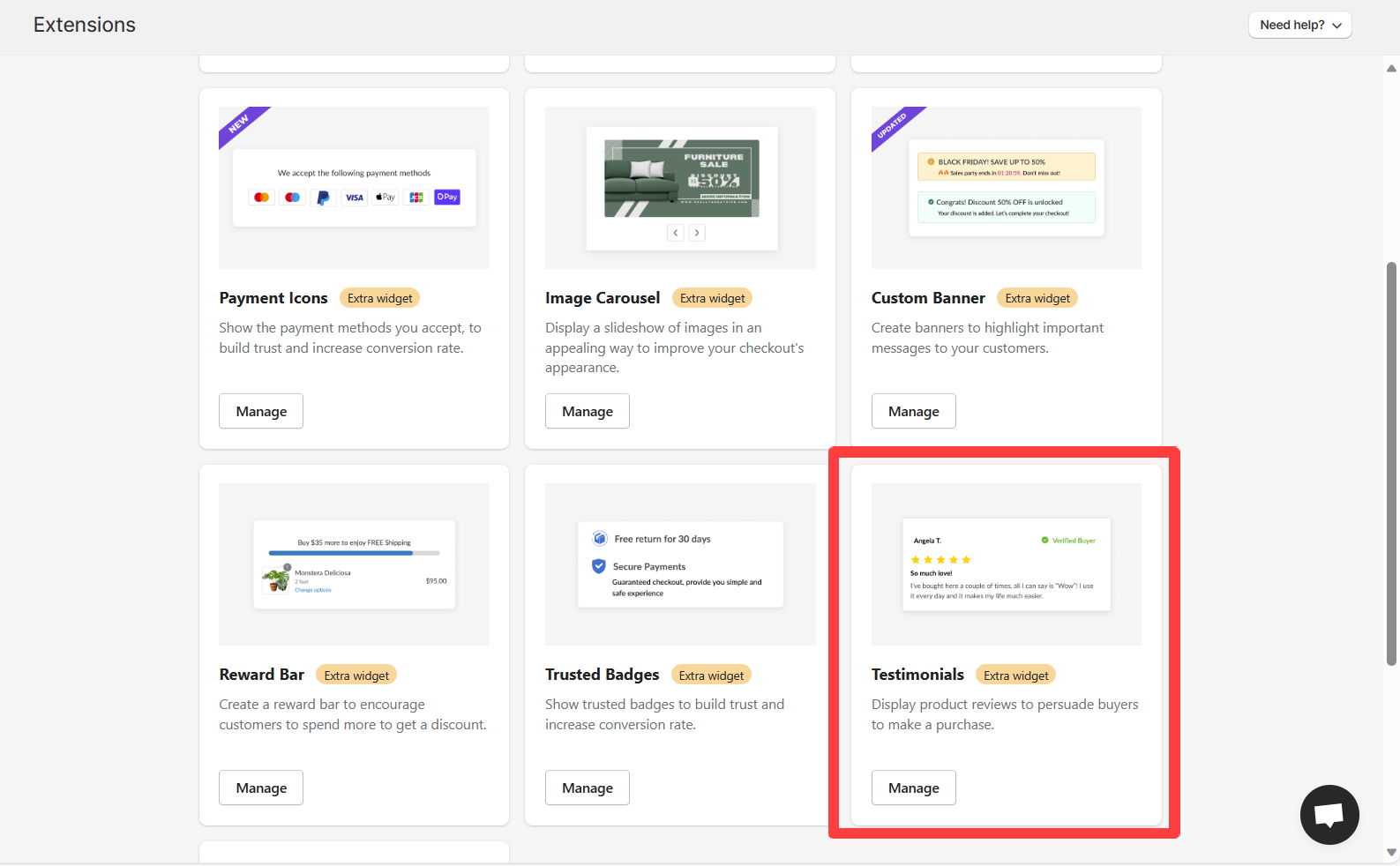
Click on "Add extension" button in the app dashboard, then select "Testimonials" extension
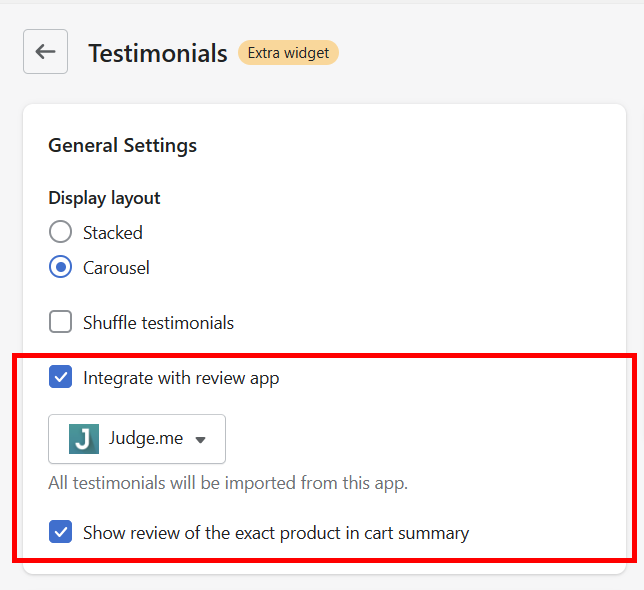
Step 3: Select settings for syncing reviews and displaying reviews by product ID
- Select setting "Integrate with review app" > Choose your review app
- To display reviews by product, select setting "Show review of the exact product in cart summary"
Step 4: Add extension to checkout editor
- Open Shopify Settings > Checkout. Then click on "Customize" to open checkout editor
- Click on "Add app block" on the left panel and choose "Extra widget" > Select type "Testimonials"
- Drag and drop the form in the editor to adjust its placement in checkout page
Demo video


