


Recommend products and promote discounts in the last step of buying journey, combining with a countdown timer to hurry customers to checkout

Product
Qikify Checkout Plus
Goals
When and which brand should apply this case?
For brands that seeking to increase their conversion rate and customer order value in checkout phase
Features used
- • Product Offers — recommend related or upsell products directly on the checkout page to increase average order value.
- • Shopify Automatic Discounts — combine with a native, automatic amount-off order discount to make the upsell offer instantly appealing.
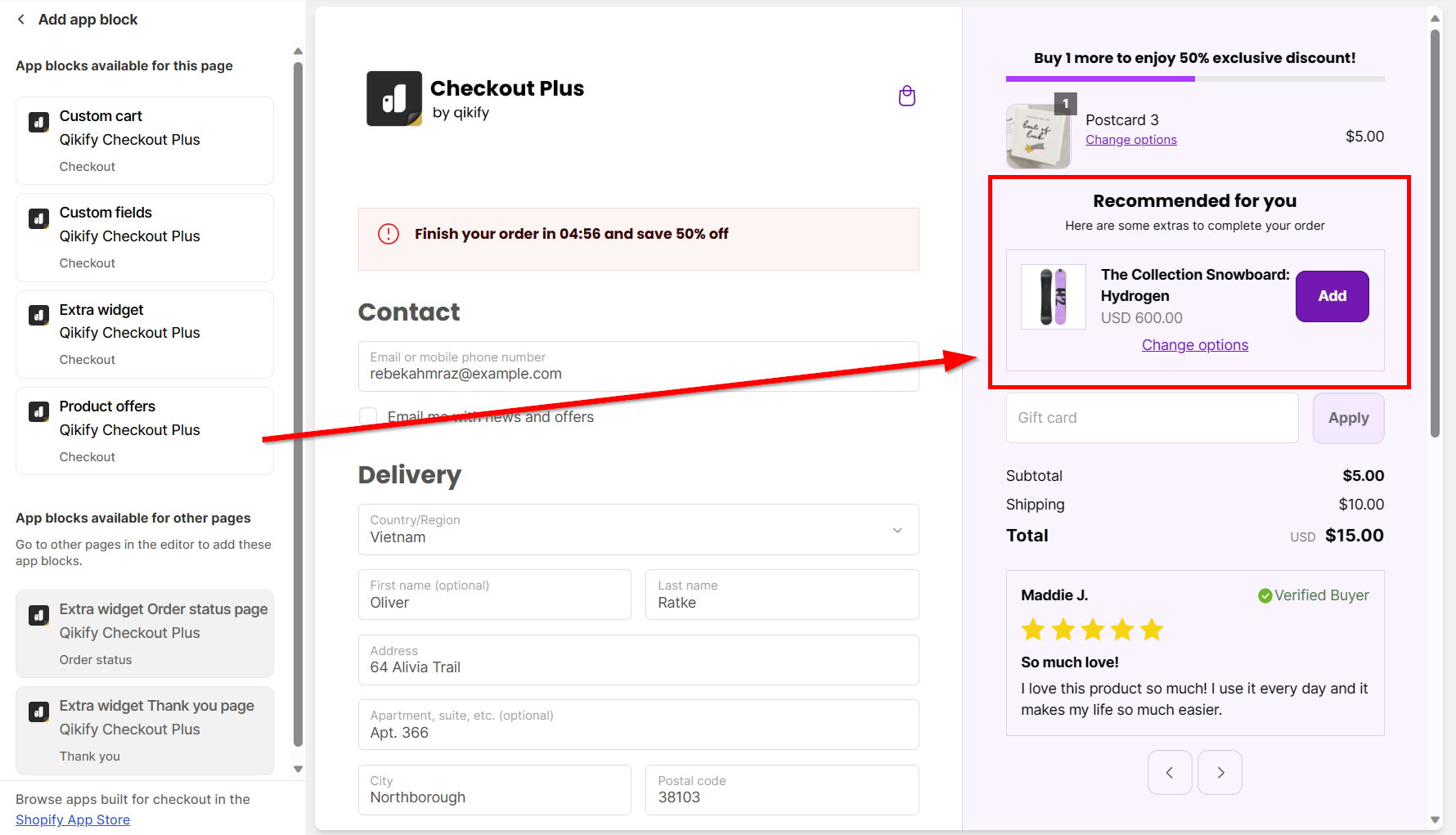
- • Checkout Editor Placement — add the Product Offers app block to checkout and drag-and-drop it into the exact spot you want customers to see it.
Instructions
Create a combinable Shopify native automatic discount with Product Offers extension.
(For other extensions, you can easily go to our app and set up it in minutes without any further conflicts)
Step 1: Create automatic discount in Shopify Discounts
- Log in to your store admin and go to Discounts
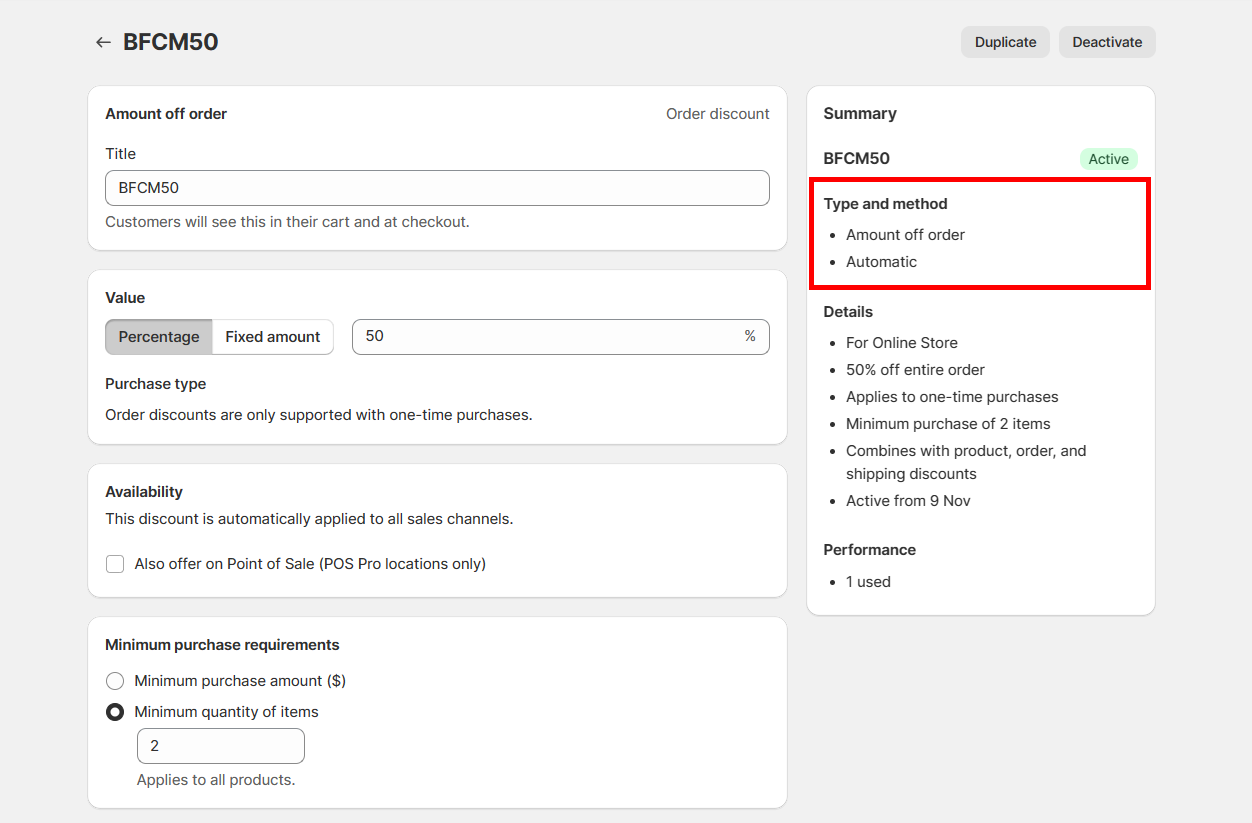
- Create a new discount and choose "Amount off order" type
- Set discount as "Automatic" discount > Set up other discount details as normal
Step 2: Log in app dashboard
Open "Qikify Checkout Plus" app. If you haven't installed our app, you can free to do it from here.
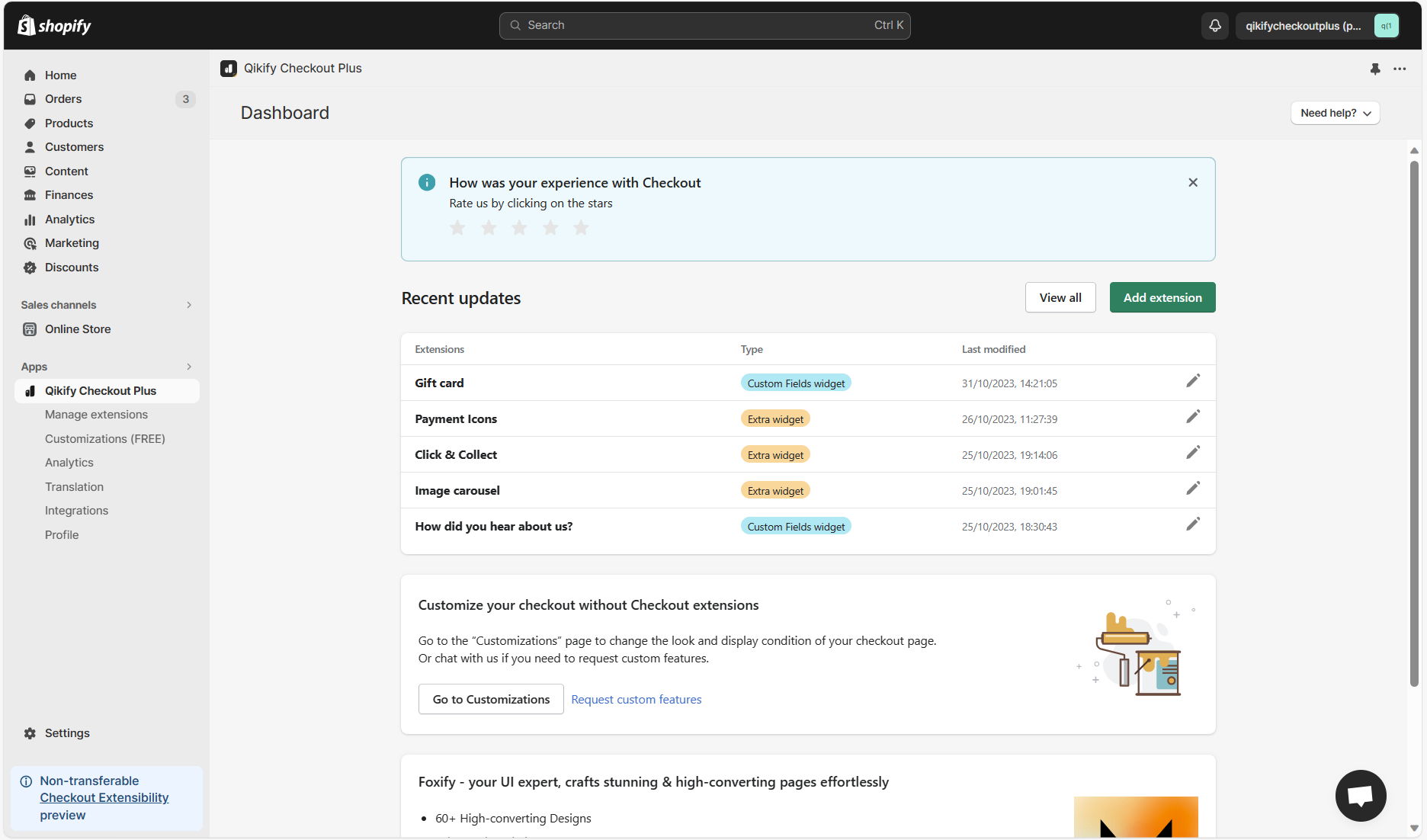
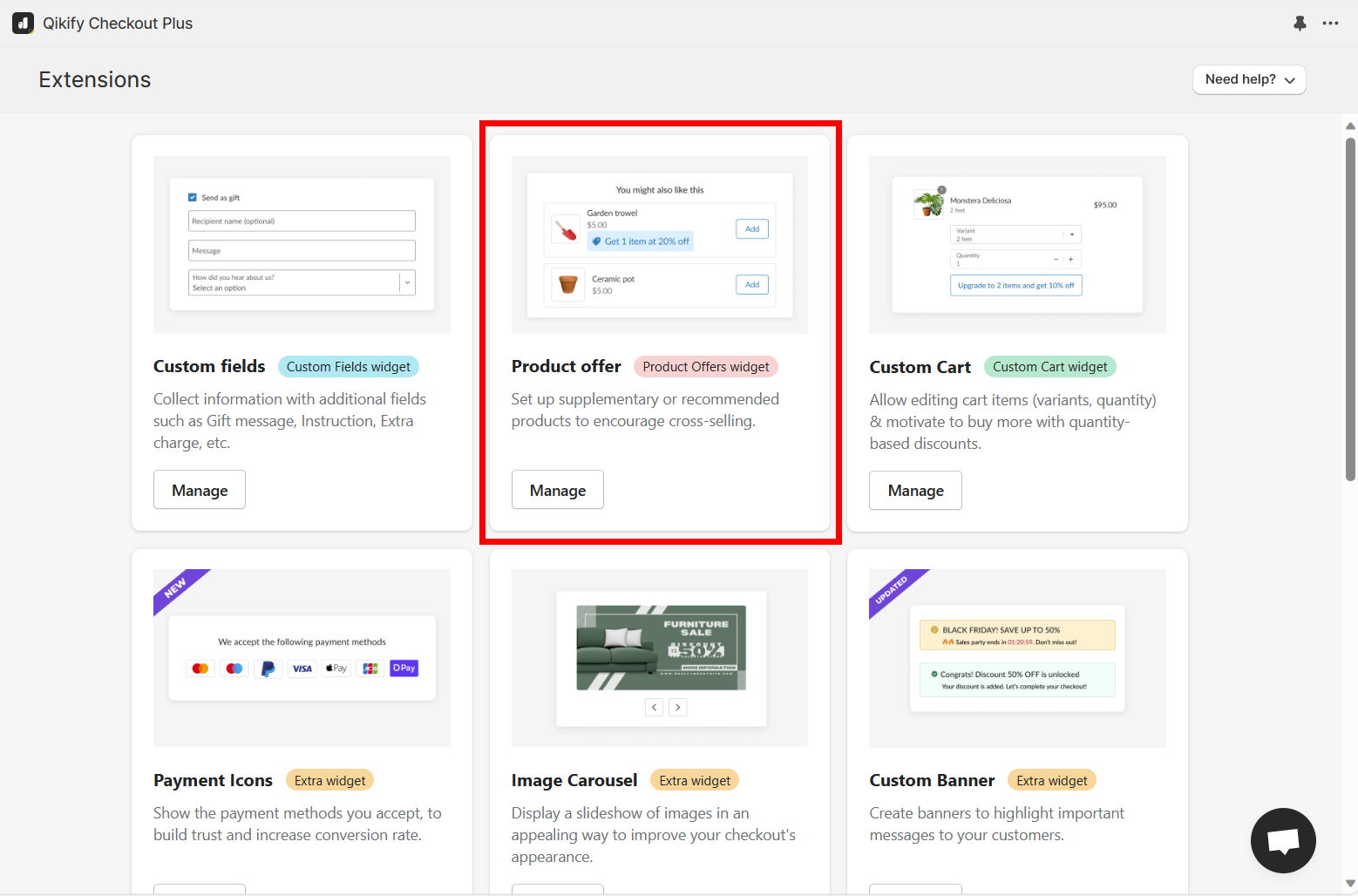
Step 3: Add extension "Product Offers"
Click on "Add extension" button in the app dashboard, then select "Product Offer" extension
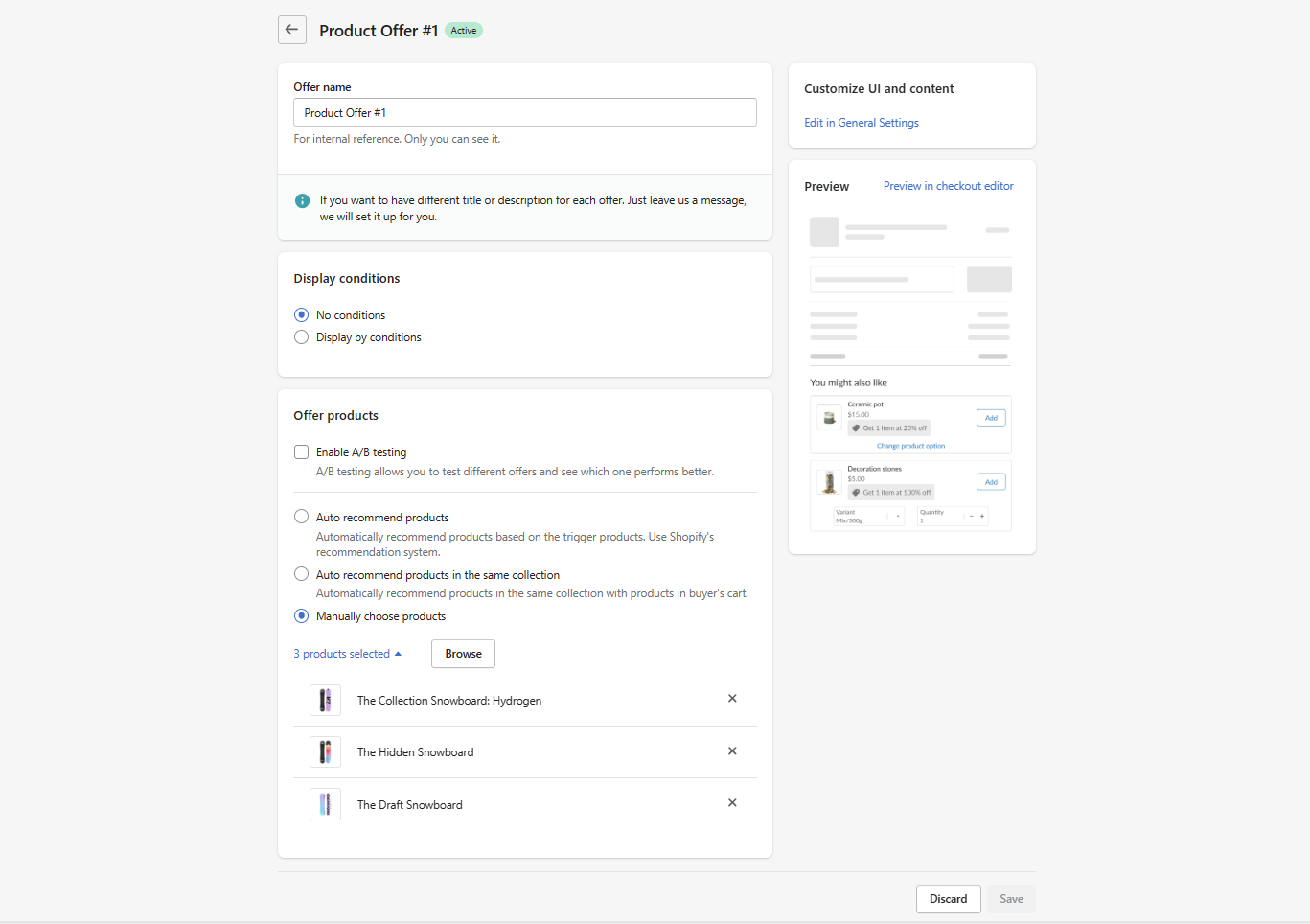
Step 4: Set up product recommendations for the extension
Step 5: Add extension to checkout editor
- Open Shopify Settings > Checkout. Then click on "Customize" to open checkout editor
- Click on "Add app block" on the left panel and choose "Product offers" > Drag and drop the form in the editor to adjust its placement in checkout page
Demo video


