ECOMMERCE TIPS

How does Shopify work? The honest beginner's guide (2026) 

How does Shopify works
shopify 3 months free trial

Shopify powers over 4 million businesses. Heinz uses it. Gymshark built an empire on it. And every 28 seconds, someone makes their first sale on it.

With a 26% market share in the eCommerce space, Shopify isn’t just a platform - it’s a movement that’s shaping the future of online retail.


But how does Shopify work?


In this article, we’ll answer this question by showing you step-by-step how to set up your store, attract customers, and grow your sales. Whether you're a first-time seller or a seasoned pro, you'll get the insights you need to take your online business to the next level. 


Ready to learn how Shopify can transform your business? Let’s get started!

1. How Shopify works for your business: Empowering merchants globally

Think of Shopify as the operating system for your store. It handles the storefront, payments, inventory, and customer data — all in one place. You focus on selling. Shopify handles the plumbing.


Here’s a quick overview of how Shopify works and its key components:

  • Store setup: Build a mobile-responsive store with customizable templates.
  • Product management: Simplify inventory tracking and catalog organization.
  • Customer engagement: Personalize campaigns with built-in CRM tools.
  • Secure payments: Accept multiple payment methods seamlessly.
  • Unified sales: Connect online and offline sales with Shopify POS.
  • Customizable apps: Access tools to optimize and scale your business.

In the sections below, we’ll break down these features and explain how Shopify’s structure makes online selling simple and effective.

1.1. Building your online store with ease

As mentioned, Shopify handles around 10% of all US eCommerce. That market share didn't happen by accident — the setup process is genuinely fast. Most store owners get a working storefront live within a day, no dev required.

Shopify online store

Whether you’re a small business or a global powerhouse, Shopify provides the scalability you need. It’s no wonder that Shopify now powers around 10% of U.S. e-commerce and has supported merchants in generating over $1 trillion in revenue globally (source).

1.2. Effortless product management

Bulk CSV imports. Automated inventory tracking. Variant management for different sizes, colors, or materials. Shopify's product tools are built for stores with large catalogs — Mattel and Supreme both run on it for a reason.

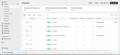
Product management in Shopify

Shopify’s ability to handle complex product catalogs makes it a favorite for household names like Mattel and Supreme, which depend on the platform to keep their operations smooth.

1.3. Engaging customer management

At the heart of every successful business is its customers. Shopify helps merchants foster meaningful relationships with their audience through built-in CRM tools that track customer data, purchase history, and preferences. This allows businesses to tailor their marketing efforts for maximum impact.


Every 28 seconds, an entrepreneur makes their first sale on Shopify, demonstrating its effectiveness in connecting businesses with their target customers.

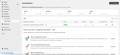
Shopify marketing automations

Shopify website builder doesn’t just help you sell - it helps you engage. With tools to create personalized campaigns, merchants can effectively convert leads into loyal customers. The platform’s global reach ensured it catered to 675 million online shoppers in 2023 alone.

1.4. Streamlined payment handling

Shopify Checkout converts at 15% higher than most competing platforms. That's not a small gap. It accepts credit cards, Shop Pay, digital wallets, and 100+ alternative methods, and the security is built in. You don't need a separate payment gateway to get started.

Shop Pay

1.5. Integrated Point of Sale (POS)

Shopify POS

Shopify POS users see 41% more repeat customers and a 40% higher in-store conversion rate. That's what syncing your online and offline inventory actually does. Customers get a consistent experience. You get full visibility from one dashboard.

1.6. Powerful third-party apps and analytics tools

Shopify provides merchants with powerful marketing tools and an ecosystem designed to amplify their reach and effectiveness. With integrations to platforms like Google, Facebook, and TikTok, businesses can run targeted campaigns that resonate with their audience.


What sets Shopify apart is its unparalleled customizability. The platform offers a ready-made ecosystem of over 13,000 Shopify apps and more than 37,000 partners (updated to 2026), allowing businesses to tailor their marketing strategies and operations like no other platform. Whatever your store needs, there's an app for it. Upsells, popups, custom forms, navigation — it's all covered.

Here's the thing: the apps you choose in your first month will shape how well your store converts. 

A few worth installing early: Qikify Sales Popup & Proof helps new stores build social trust fast. Real-time purchase notifications, review widgets, newsletter popups. Sticky Cart by Qikify keeps the add-to-cart button visible as shoppers scroll, so you don't lose them mid-browse.

Both are free to start. Built specifically for Shopify.

Shopify app store

Additionally, Shopify’s advanced analytics provide merchants with valuable insights into sales trends and customer behavior. These data-driven tools empower businesses to optimize their marketing efforts and scale effectively, helping them connect with the right customers at the right time.

  • Relevant reading:

    Explore key differences between Shopify vs Squarespace to find out which one is the perfect fit for your online business!

Whether you’re just starting out or scaling an established brand, Shopify provides the foundation you need to succeed in today’s digital economy. Besides these advantages, here are the key benefits Shopify promises to deliver:

  • Ease of use: Shopify’s user-friendly interface allows merchants to set up their stores without technical expertise.
  • Scalability: Perfect for businesses of all sizes, from startups to global brands.
  • Global reach: Supports multi-currency and multi-language operations, ideal for international sales.
  • Integrated ecosystem: From marketing to logistics, Shopify offers an all-in-one platform to streamline operations.
  • Unparalleled support: 24/7 assistance through chat, email, and a vast library of resources.

With its powerful features, intuitive design, and proven capabilities, Shopify provides merchants with everything they need to create Shopify stores and thrive in the competitive e-commerce landscape. From setting up your store to scaling globally, the platform ensures a seamless experience tailored to your business needs.


But how does Shopify work, take these benefits, and transform them into a streamlined selling process? Let’s explore how Shopify simplifies every step of the sales journey, from showcasing your products to managing transactions with ease.

2. How to sell online with Shopify: A simple and effective process

Here's the full setup process. Seven steps from blank account to live store.

Step 1: Create your Shopify store

Step 2: Add your products

Step 3: Choose a Shopify theme

Step 4: Set up your domain

Step 5: Configure shipping settings

Step 6: Set up payment providers

Step 7: Launch your store and promote it

2.1. Create your Shopify website

Sign up at Shopify.com. Enter your email, pick a store name, create a password. That's it. You're in the dashboard.

Shopify also gives you free tools to get your brand started before you spend a cent:

Worth using before you commit to anything.

  • Hot deal from Qikify:

    You can try Shopify free for 3 days, with no credit card required! After the trial, the first 3 months are only $1, making it easy to start without breaking the bank. 

Shopify $1/month

2.2. Add your products

Now it’s time to add products to your store! This is where you’ll showcase what you’re offering, so make sure each product looks its best.

  • In your Shopify admin, head over to Products > Add Product.
  • For each product, you'll enter:

  1. Title: Clear and specific. This is what shows up in search.
  2. Description: Skip the fluff. Tell shoppers what it does, who it's for, and why it's worth buying.
  3. Images: Customers can't touch it. Photos do the selling. Use good ones.
  4. Pricing and inventory: Set your price. Track your stock. Shopify alerts you before you sell out.
  5. Variants: Sizes, colors, materials — add them here. Each gets its own inventory count.

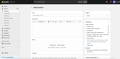
Add product in Shopify

If you have a large inventory, Shopify lets you import products in bulk using a CSV file, saving you hours of manual work.


Pro tip: If you're selling products with custom options such as engravings, size configurations, bundled sets, Shopify's default variants won't cut it. Qikify Custom Product Options handles that without any code.

2.3. Choose Shopify themes

Your theme controls how your store looks and feels. You don't need to pay for one to get started. Shopify's free themes are solid, and most beginners don't need anything more.

Here's how to find and apply one:

Head to the Shopify Theme Store. Filter by features like "recommended products" or "FAQ page" to narrow it down fast. You can preview up to 19 paid themes before committing — use that. Paid themes are non-refundable.

Once you've picked one, go to Online Store > Themes > Customize to match it to your brand colors and layout.

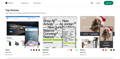
Shopify themes

If you're still in your Shopify free trial period, consider starting with the best free Shopify themes to avoid any charges. Paid themes are non-refundable, so ensure they suit your needs before purchasing.

2.4. Set up your domain

Your store needs its own web address. You've got three options.

First option: Buy a new domain through Shopify.

  1. Go to your Shopify admin and navigate to Settings > Domains.
  2. Click Buy new domain.
  3. Enter the domain name you want to purchase and follow the prompts to complete the purchase. This domain will be automatically configured as your primary domain if it's the first one you add.

Shopify domain

Second option: Connect an existing domain.

  1. From your Shopify admin, go to Settings > Domains.
  2. Click Connect existing domain.
  3. Enter your domain name and follow the instructions to update your DNS settings with your domain provider. This typically involves setting the A record to Shopify's IP address and the CNAME record to point to shops.myshopify.com.

Last option: Transfer a domain to Shopify.

  1. Check if your domain is eligible for transfer by going to Settings > Domains in your Shopify admin.
  2. If eligible, follow the steps to transfer your domain, which include entering an authorization code from your current domain provider.
  3. After setting up your domain, you can also set up email forwarding and make your new domain the primary domain for your store.

Shopify domains are registered for one year and can be renewed annually. It's important to activate auto-renewal to prevent your domain registration from expiring by mistake.

2.5. Configure shipping settings

Shipping settings determine what your customers pay at checkout and where you'll ship to. Get this wrong and you'll either lose money on orders or scare buyers away with inflated rates.
Here's how to set it up:
  • From your Shopify admin, go to Settings > Shipping and delivery.
  • In the Shipping section, click the shipping profile you want to edit.
  • In the Shipping zones section, click Create zone.
  • Name the shipping zone and select the countries or regions that are part of the zone, then click Done.
  • For each shipping zone, click Add rate.
  • Choose the rate's details, such as flat rate or calculated rate, and click Done.
  • Configure carrier-calculated rates (if applicable): Select Use carrier or app to calculate rates and choose the shipping service you want to add calculated rates for. Select the shipping methods you want to offer and click Done, then Save.
  • After setting up your shipping zones and rates, click Save to apply the changes.

Shopify shipping and delivery

Make sure to review your shipping strategy and ensure that your settings align with your business needs. Depending on your country, ensure that your shipping zones and rates are set up to accommodate your local and international shipping requirements.
To streamline fulfillment and improve delivery efficiency, choose a reliable 3PL service provider that meets your logistics needs.

2.6. Set up payment providers

Go to Settings > Payments. If Shopify Payments is available in your country, start there. It's the fastest setup and cuts out third-party transaction fees. 
If it's not available, Shopify supports 100+ alternative providers.
  • From your Shopify admin, go to Settings > Payments.
  • Choose your desired payment provider from the list. You can select Shopify Payments if it's available in your country, or choose from a variety of third-party payment providers.
  • Enter your account credentials for the selected provider and follow the setup instructions.
  • Activate the provider to start accepting payments.

Shopify payments

*Please check the list of supported countries for Shopify Payment here.

2.7. Launch your store

Almost there. Your store is live the moment you remove the password.
  • From your Shopify admin, go to Online Store > Themes.
  • Look for the banner that says, "Your online store is password protected."
  • Click Remove password. If the banner isn't displayed, your store isn't password protected.

Shopify password protection

Now comes the real work: getting visitors to convert. 

A quick tip to you to convert more hesitated buyers: social proof and a persistent cart.
After finishing setting up the store, you can install more solutions from Shopify App Store to include social proof and enhance the trust signals.

3. Wrap up

Shopify is an all-in-one platform that simplifies creating and managing an online store, making it perfect for businesses of all sizes. From customizable designs to seamless payment processing and shipping solutions, Shopify equips you with everything needed to build a successful e-commerce store.

In addition, Shopify offers a treasure trove of resources to help you succeed:
  • Shopify blog: Stay updated with actionable insights, expert advice, and the latest e-commerce trends to grow your business.
  • Shopify Academy: Access free, in-depth courses that cover everything from store setup to advanced marketing strategies, tailored for entrepreneurs at every stage.
  • Shopify community: Connect with fellow merchants, exchange tips, and learn from shared experiences.

With this detailed guide to “How does Shopify work”, we believe that you are ready to get started! Don’t wait - launch your Shopify store today and turn your ideas into a thriving online business!

4. FAQs 

1. What exactly is Shopify?

Shopify is a leading e-commerce platform that helps individuals and businesses create and manage online stores. It offers tools for building a website, managing products, processing payments, and tracking inventory.


Whether you’re selling handmade crafts, clothing, digital products, or even subscription services, Shopify provides the tools and flexibility to bring your business to life online.


Deeper understanding of “Shopify what is it” by exploring Shopify vs Woocommerce!

2. Is Shopify good for beginners?

Yes, Shopify is a great platform for beginners! It offers a user-friendly interface that makes it easy to set up and manage your online store. Here are some key features that make Shopify suitable for beginners:

  • Free trial: You can start with a free trial to explore the platform without any commitment.
  • Step-by-step guides: Shopify provides an initial setup guide with tutorials to help you through the main tasks needed to start selling.
  • Customizable themes: You can choose from a variety of free and paid themes from the Shopify Theme Store to design your store easily.
  • 24/7 support: Shopify offers support around the clock, so you can get help whenever you need it.

Overall, Shopify is designed to help you get started quickly and efficiently, making it an excellent choice for those new to e-commerce.

3. How do I set up a Shopify store? 

To set up your Shopify store, you can follow these steps:

  • Create your Shopify account: Start by signing up for a free trial.
  • Enter your business information: Log in to your store and provide details such as your store name, legal business name, and address. You can also set your store's time zone and default currency.
  • Set up your domain: Choose a domain name for your store. You can buy a new domain or transfer an existing one.
  • Add your products: Start adding products to your store. Make sure to include descriptions, prices, and images.
  • Organize your store: Customize your store's appearance by selecting a theme and organizing your products into collections.
  • Set up payment and shipping: Configure your payment gateways and shipping settings to ensure smooth transactions.
  • Launch your store: Once everything is set up and tested, you can officially launch your store and start selling!

4. What types of products can I sell on Shopify?

You can sell a variety of products on Shopify, including:

  • Physical products: These are tangible items that you can ship to customers.
  • Digital products: You can sell digital goods such as downloadable files, digital art, audio clips, and even non-fungible tokens (NFTs) without any additional fees.
  • Services: If you offer services, you can also list them on your Shopify store.
  • Gift cards: You can sell gift cards as a product option.

5. How does Shopify handle payments?

Shopify handles payments in two main ways:

  • Shopify Payments: Shopify's integrated payment solution allows you to accept major credit cards directly from your store. 
  • Third-party payment providers: If Shopify Payments is not available in your country or if you prefer not to use it, you can choose from over 100 supported third-party payment providers. 

6. Can I use my own domain name with Shopify?

Yes, you can use your own domain name with Shopify. Here are your options:

  • Buy a new domain: You can purchase a new domain directly from Shopify. This domain will automatically be set as your primary domain, which is the address displayed to customers in their browser, search results, and on social media. 
  • Connect an existing domain: If you already own a domain from a third-party provider, you can connect it to your Shopify store. 
  • Transfer your domain: If you want to manage your domain settings directly from Shopify, you can transfer your existing domain to Shopify. After the transfer, you will no longer need to use the third-party service for management. 

Make sure to set your custom domain as the primary domain after adding it to ensure it displays correctly to your customers.

7. How much does Shopify cost?

Shopify offers several Shopify plans to suit different business needs. Here’s a breakdown of the main plans:

  • Basic Shopify Plan: This plan is ideal for new businesses and costs $39 per month. It includes all the essential features to run your online store.
  • Shopify Plan: This plan costs $105 per month and includes additional features such as professional reports and lower credit card rates.
  • Advanced Shopify Plan: This plan is priced at $399 per month and offers advanced reporting and the lowest transaction fees.
  • Shopify Plus: For larger businesses, Shopify Plus starts at $2,000 per month and provides enterprise-level features and support.

Shopify pricing can vary by country. In some regions, Shopify offers subscription plan prices that are adjusted to the local cost of living. Shopify fees above are for United States users.


Keep in mind that charges for Shopify subscription plans are non-refundable, and you can review the full list of pricing on Shopify's pricing page.

8. Does Shopify handle shipping?

Yes, Shopify handles shipping through its integrated platform, Shopify Shipping:

  • Shipping services: Set up delivery services and rates, buy and print shipping labels, and fulfill orders directly from your Shopify admin.
  • Shipping carriers: Connect with carriers like USPS, UPS, DHL, and FedEx for discounted rates.
  • Calculated shipping rates: Display rates at checkout based on package weight, dimensions, and destination.
  • Backup rates: Set up backup rates using historical data if Shopify Shipping rates are unavailable.

9. Can I sell on multiple channels with Shopify?

Yes, you can sell on multiple channels with Shopify. Shopify allows you to connect various online sales channels, enabling you to sell your products on platforms like Facebook, Instagram, Google, and more. This helps you keep track of your products, orders, and customers in one place.


10. Is Shopify suitable for large businesses?

Yes, Shopify is suitable for large businesses, especially with the Shopify Plus plan. This plan offers a variety of features designed for high-volume merchants, including:

  • Advanced apps and channels
  • Unlimited staff accounts
  • Expansion stores
  • Custom checkout
  • Priority support

If you're considering Shopify for a large business, the Plus plan is specifically designed to meet those needs and facilitate growth.

Your subscription could not be saved. Please try again.
Your subscription has been successful.

Gain Insightful Knowledge to Grow Your Business Stronger

We use Brevo as our marketing platform. By submitting this form you agree that the personal data you provided will be transferred to Brevo for processing in accordance with Brevo's Privacy Policy.

  • ABOUT THE AUTHOR

  • Hannah

    eCommerce Specialist

    With over 5 years of experience under her belt, Hannah is an eCommerce writer who crafts content specifically for a website that deals with online sales. She simplifies technical details to assist entrepreneurs in utilizing the platform and launching their online ventures.