


Whatnot and TikTok Shop will hand you an audience on day one. They will also take a cut of every sale and keep the buyer.
Live selling is selling in real time on video: a host shows something, viewers ask questions, and people buy while the stream is running. Live shopping and live commerce mean the same thing, and most guides assume you'll do it on Whatnot, TikTok Shop, or another marketplace.
You don't have to. Running it on your own Shopify store costs you the ready-made crowd and gives you back everything else. And the part most merchants miss is what happens in the thirty seconds after a box opens.
Key takeaways
- A marketplace such as Whatnot or TikTok Shop rents you an audience. Your own Shopify store starts without one, but keeps the buyer, the email address, and the whole sale.
- A first stream needs a phone, one light, a clip microphone, and a checkout you have tested on mobile. Everything else can wait.
- A reveal stream sells the not-knowing, so the pool, the random assignment, and the published odds have to be settled before you go live.
- Buyers are most ready to spend again in the second after a box opens. Mysbox's Open more button puts the next box one tap away at exactly that moment.
- Judge the format on four numbers across three streams, not on the revenue from one.
1. What live selling costs on a marketplace, and on your own store
Selling live on Whatnot or TikTok Shop and selling live on your own Shopify store are two different trades. The marketplace lends you an audience that already buys from streams, and charges a commission plus the customer relationship for it. Your own store starts with nobody watching, but every sale, email address, and repeat buyer stays with you.
1.1. The trade you're making
Whatnot or TikTok Shop gives you distribution, and that's worth a lot to a store owner with no audience. What it takes back is a commission and the buyer: the account lives with the platform, so you can't email them or see who came back.
| Marketplace | Your own store | |
|---|---|---|
| Audience on day one | Built in | None, you bring it |
| Commission per sale | Up to 8% on Whatnot, 6% on TikTok Shop | None |
| Payment processing | Charged on top, e.g. 2.9% + $0.30 on Whatnot | Your Shopify plan's normal rate |
| Who owns the buyer | The platform | You |
| Email and retargeting | Usually not available | Yours to use |
| Effort to get started | Low | Higher, and it compounds |

The take rate is the visible cost. The customer relationship is the one you notice later.
1.2. How to weigh it for your store
As of October 2026, Whatnot lists seller fees of up to 8% depending on category and country, plus 2.9% and $0.30 per order for payment processing. TikTok Shop charges a 6% commission on each sale. On a $50 box at Whatnot's top rate, that's $4.00 in commission and $1.75 in processing. Both platforms run promotions and volume tiers, so check the seller terms on the day you decide.
Rates change, but the decision usually comes down to four questions:
- If you have no audience at all, a marketplace gets you to your first hundred viewers faster than anything you can do alone.
- If you already have email subscribers, an Instagram following, or repeat customers, you're paying a commission to reach people who would have come to your store anyway.
- If your margin is thin, the commission is the whole argument. Run the number against your actual margin, not against your revenue.
- If the product is the reason people watch, and not the host, your own store loses less by not having a built-in crowd.
Gacha Gotcha shows what owning the mechanic looks like. Its earlier tools needed each result triggered by hand and left the prize pool visible, and directly purchasable, in the shop. On Mysbox, customers trigger their own pulls on its Shopify store, and the store reports that customers come back more often now that the reveal is part of the visit.
2. What you need before the first stream
Your first stream needs less gear than most guides to livestream shopping suggest. A recent phone, one light, and a clip microphone will carry a stream on Instagram Live, YouTube Live, or TikTok LIVE. The harder half is the Shopify side: live products, a tested mobile checkout, and a way to move viewers from the stream to the product page.
2.1. Equipment
The good news: a phone from the last few years is enough, with one light placed in front of you rather than behind. Stream on the strongest connection you have, because a stream that stutters during a reveal is worse than no stream at all.
What matters is a surface where the product is visible and your hands are free, plus audio that doesn't pick up the room. A cheap clip microphone beats a good camera here.
On the store side, products should be live and purchasable, and the checkout tested on a phone. Then plan how viewers reach the store. Instagram Live and TikTok LIVE generally don't make links in comments clickable, so say a short store address out loud, show it on screen, and put it in your bio. On YouTube Live, pin the link in chat, or embed the stream on your Shopify store.
2.2. How long, and how often
Thirty to sixty minutes is the range most merchants settle into. Shorter, and there's no time for anyone to arrive. Longer, and you're talking to an empty room by the end.
Showing up often matters more than streaming for long. A weekly slot at the same time builds a habit, and a once-a-month marathon rarely does. Pick a time you can keep for two months, in your buyers' evening rather than yours.
Do a private test first (YouTube Live can stream as unlisted, and Instagram Live has a practice mode) to check that the audio is clean, the product stays in frame, and the connection holds.
3. Run of show for your first live sale
A first live sale runs in four phases: preparation, the first ten minutes, the middle, and the close. The structure is the same whether you stream on Instagram Live or YouTube Live, and it only works if every Mysbox campaign and Shopify product you plan to sell is purchasable before you press start.
3.1. Before you go live
Everything you plan to sell should already exist in the store as a purchasable product, with stock set, before you go live. Hunting for a product page on camera kills the room.
Have the link ready to paste, and keep a second device open on the store so you can see what the buyer sees. Write down your first three lines (not a script), because the first thirty seconds are the ones you'll fumble.
Promote the slot beforehand on Instagram Stories, your email list, or wherever your buyers follow you, and lead with what can be won. One standout item with its odds stated gives people a reason to turn up, and it's the same reason a high-value item sells the box on a normal product page.
3.2. The first ten minutes
Nobody's there yet, and that's normal. Talk to the people arriving by name, and say what's coming up and when, so someone who just landed has a reason to stay. Hold back anything good for the first ten minutes while the room fills.
3.3. The middle
This is where the selling happens, and the rhythm is simple: tease, open, react, repeat.
Pacing is the skill. Give each reveal enough room for the reaction to land, then move before the energy drops. If the chat goes quiet, ask it something answerable: "which one should I open next" works far better than "any questions", because one is a decision and the other is homework.
When several orders come in at once, use batch unboxing rather than opening them one at a time. It keeps the pace and stops the stream turning into a queue. Unboxing as a sales moment is worth reading on why the opening itself carries the sale.
3.4. The close
Say what is left, give it a deadline inside the stream, and then hold the deadline.
Then tell viewers when the next stream is, so it starts with people who already know you.

The first ten minutes decide the session. Everything after is pacing.
4. Why a reveal stream is not a product demo
A reveal stream sells uncertainty, not information, which is why product-demo advice fails for mystery boxes, blind boxes, and trading card packs. In a demo, the viewer buys once they know enough. In a reveal, the moment the box opens is the product. STINGS.inc saw this at its real-world fan events, where mystery pulls were one of the most popular attractions before they moved to its Shopify store.
4.1. A demo shows what you get. A reveal doesn't
In a reveal, the value is the not-knowing. Box, pack or bag, the buyer is paying for the moment it opens. Take away the uncertainty and there's nothing to watch.
That changes your job on camera. You're waiting with the buyer instead of describing a product, and your reaction is the content. It's also why this format does badly as polished video and well as a real person reacting in real time.
CardPriceCheck's switch shows how much that moment matters. Its Pokémon card customers used to wait days for a physical box to arrive; on Mysbox they open it on the Shopify store immediately, share the pull, and bring in the next buyer.

One shows the buyer what they are getting. The other is worth watching because it doesn't.
4.2. What has to be true behind the camera
A reveal needs three things a demo does not: a defined pool of what can come out, a rule that assigns items at random, and odds the buyer can see before paying.
Here's the catch: improvising this live is how it goes wrong. If you pick what to hand out as you go, the outcome is your choice rather than chance, and buyers can tell.
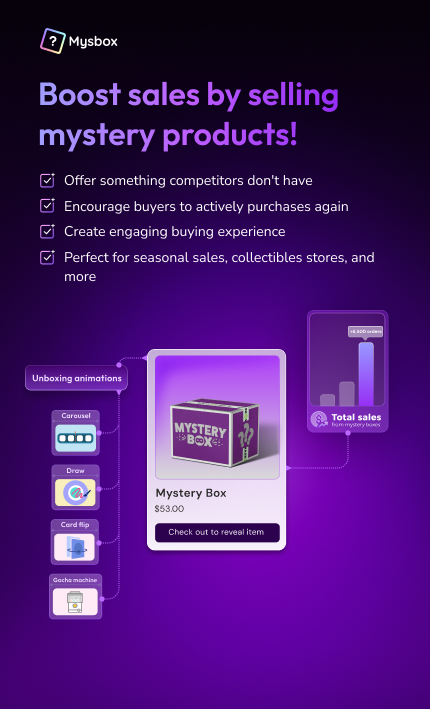
Mysbox handles that layer on Shopify. You build the pool from single items or bundles, set the odds automatically or as manual rarity tiers, and the assignment runs the same way whether you are live on YouTube or asleep.
Each box goes to one buyer, with one result. A shared-case card break, where viewers buy spots in one box opened on stream, is a different format: repacks and breaks are not the same product, and Mysbox runs only the individual-box side.
Learn more: How to start a mystery box business on Shopify
5. Show your odds on camera
Showing your odds on camera is the main defence against the accusation every live reveal eventually gets: that the seller is choosing the outcomes. Stores running Mysbox on Shopify publish the pull chance for every item before checkout. PurelyB, for one, gives every gift in its set its own odds so the draw is visibly fair.
Publish the odds before you sell anything, and put them where a viewer can check without asking. Then read them out at the top of the stream in plain numbers: how many of the good item sit in the pool, out of how many total.
Two habits build trust fast. Show the whole pool on screen, not just the headline prize. And when somebody pulls the rare item, don't act more surprised than you are, because the audience is watching for exactly that.
Let the results keep working after the stream, too. Mysbox's Recent pulls block shows the latest items real buyers pulled on the box's product page, so a viewer who arrives tomorrow can check that the rare item really does come out.
When the accusation comes, usually after a run of ordinary pulls, don't argue on camera. Point at the published odds and the recording, then move on.
Tiered pools are where published odds matter most. STINGS.inc runs seven prize tiers for its Japanese character goods, an S-rank at the top and A through F below, each with its own configured win rate that buyers can see before they pull.
In Mysbox, odds are either calculated automatically from the quantity of each item you enter at setup or set by hand as rarity tiers. Either way, they're a setting in the app, so they apply the same way whether anyone is watching or not.

The odds are a setting, not a promise. They apply the same way whether the stream is running or not.
6. Get the second sale before the stream ends
The second sale in a live reveal happens in the seconds after a box opens, while the buyer is still watching. Gacha Gotcha, a Shopify store running Mysbox, found that customers pull multiple times in a single session once the reveal is fun, and the Open more button exists to make that next pull one tap away.
6.1. The moment the box opens is the moment to sell again
Think about where the buyer is, one second after a reveal. They just got a result, they're still watching, and everyone in the chat saw it. That's the highest-intent moment of the session, and it won't come back later.
On most stores, the buyer who wants another go has to find the product page again and start over, and plenty of them simply don't.
Mysbox's Open more button appears right after each unboxing and takes the buyer to a cart already loaded with the same box. On stream, point at it the moment the result lands; thirty seconds later the moment has passed.
Batch unboxing and bundles help too. A buyer who bought three watches all three open together in Mysbox, and a bundle campaign running alongside the single-item one gives the viewer who wants a bigger box somewhere to go on your Shopify store.
Mention buyback while viewers are deciding. A customer who can sell a pull back instead of keeping it worries less that the box is a scam, and Open more appears after a resell as well, so that value can go straight into the next box.
Some buyers will pay and then leave the stream before opening anything. Mysbox Auto-unbox opens an unopened box after a set time so the order still moves to fulfilment, which is how PurelyB stopped chasing customers who forgot their surprise gift.
Shop Jobie took the same idea off the stream entirely, building Men's, Women's, and Kids' boxes into the store so that shopping itself became a discovery game rather than a one-off event.
7. Where the first stream goes wrong
Most first streams go wrong in one of four predictable ways: the pool runs dry, orders outpace the host, the seller treats it as a launch, or fulfilment lags afterwards. Mysbox on Shopify assigns every pull automatically, so a burst of orders needs no manual matching, but the other three are planning failures no app fixes for you.
You run out of things to open. Twenty minutes of material stretched across an hour reads as dead air. Over-prepare the pool, and if you still run short, end early. Nobody minds a stream that ends on a high.
Orders arrive faster than you can keep up. When a run of buys lands in the same minute, a merchant confirming each one by hand falls behind, and the stream becomes an admin queue. Set the campaign up so purchases process on their own, and decide in advance what happens if something sells beyond what you can fulfil. Deciding that live, in front of the people affected, is the worst version of it.
You treat the first stream as a launch. It's a rehearsal with real customers, and six viewers who return next week beat sixty who never do.
Fulfilment was never part of the plan. Plenty of store owners run a good stream, take orders, and then need a week to ship. Work out how long a hundred orders takes you to pack before you go looking for a hundred orders, and set the shipping expectation on camera rather than in an apology later.
Worth reading if you are still choosing what to sell: mystery box ideas by niche.
8. What to measure when the stream ends
Four numbers tell you whether live selling is working: peak concurrent viewers, orders per viewer, repeat buyers within the session, and returning viewers next stream. Instagram Live and YouTube Live report the viewer side, while the Mysbox performance dashboard and Shopify Analytics cover orders and campaign results, so each number has one home.
Peak concurrent viewers tells you whether your promotion worked. Orders per viewer tells you whether the format worked. Repeat buyers within the same session tell you whether the second-sale setup worked, and returning viewers tell you whether any of it compounds.
One session's revenue tells you the least, so track the four above across three streams before you judge the format.
Ready to run your first reveal? Set up your first box campaign with Mysbox and give your next stream something worth tuning in for.
Learn more: Best Shopify mystery box apps, compared
FAQs
What are the disadvantages of live selling?
It takes a lot of time: you have to show up on a schedule, and a stream nobody attends still costs you the hour. It also suits some catalogues far better than others.
Can I run a live sale from my phone?
Yes, and most merchants do, whether they stream on Whatnot, TikTok Shop, or their own store. A phone, a single light, and a cheap clip mic are enough for your first several streams.
What happens if nobody shows up to my first stream?
Run it anyway and keep the recording. First streams are usually small, and the recording becomes the promotion for the second one.
Do buyers have to stay on the stream to open their box?
No. The box opens on your store, so a buyer can reveal it during the stream or later that day. Gacha Gotcha's customers either reveal straight away or let the pull open on its own within 24 hours.
Does live selling work outside apparel and collectibles?
It works wherever the buyer wants to see something before committing, or where the opening itself is the appeal. PurelyB, a Malaysian wellness brand, runs the same reveal mechanic for surprise gifts with purchase.
Can I run a live sale on Shopify without a third-party app?
Yes. You can stream on YouTube Live, Instagram Live, or a page on your own store and sell through your normal Shopify product pages. An app such as Mysbox matters when you want the pool, odds, and assignment handled automatically rather than by hand.
What if a buyer wants to return what they pulled?
Set your policy before you go live and state it on camera. Buyback lets the customer sell the item back instead of keeping it, so buyers know a pull they don't want still has value, and trust the box more for it.


