
Use Cases

Customize gift option service in Shopify checkout

Customize gift option service at checkout
Promotion Image

Summarize this post by:

or

Provide extra services to gain customer satisfaction by personalizing their shopping needs with gift option during checkout process

Qikify Checkout Plus

Product

Qikify Checkout Plus

View on Shopify →

Goals

Provide gift service to customers
Increase customer satisfaction
Personalize customer shopping needs

When and which brand should apply this case?

For brands that seeking for providing gifting service in checkout phase

Features used

  • Custom Fields — add custom form fields to checkout so customers can request gift options like messages or wrapping.
  • Gift Message Template — start from the preset "Gift Message" template to set up gifting fields quickly, then adjust it to your service.
  • Checkout Editor Placement — drag and drop the Custom Fields app block into checkout and position it exactly where you want it.

Instructions

Set up a Custom Fields form for gift service as instructed below:

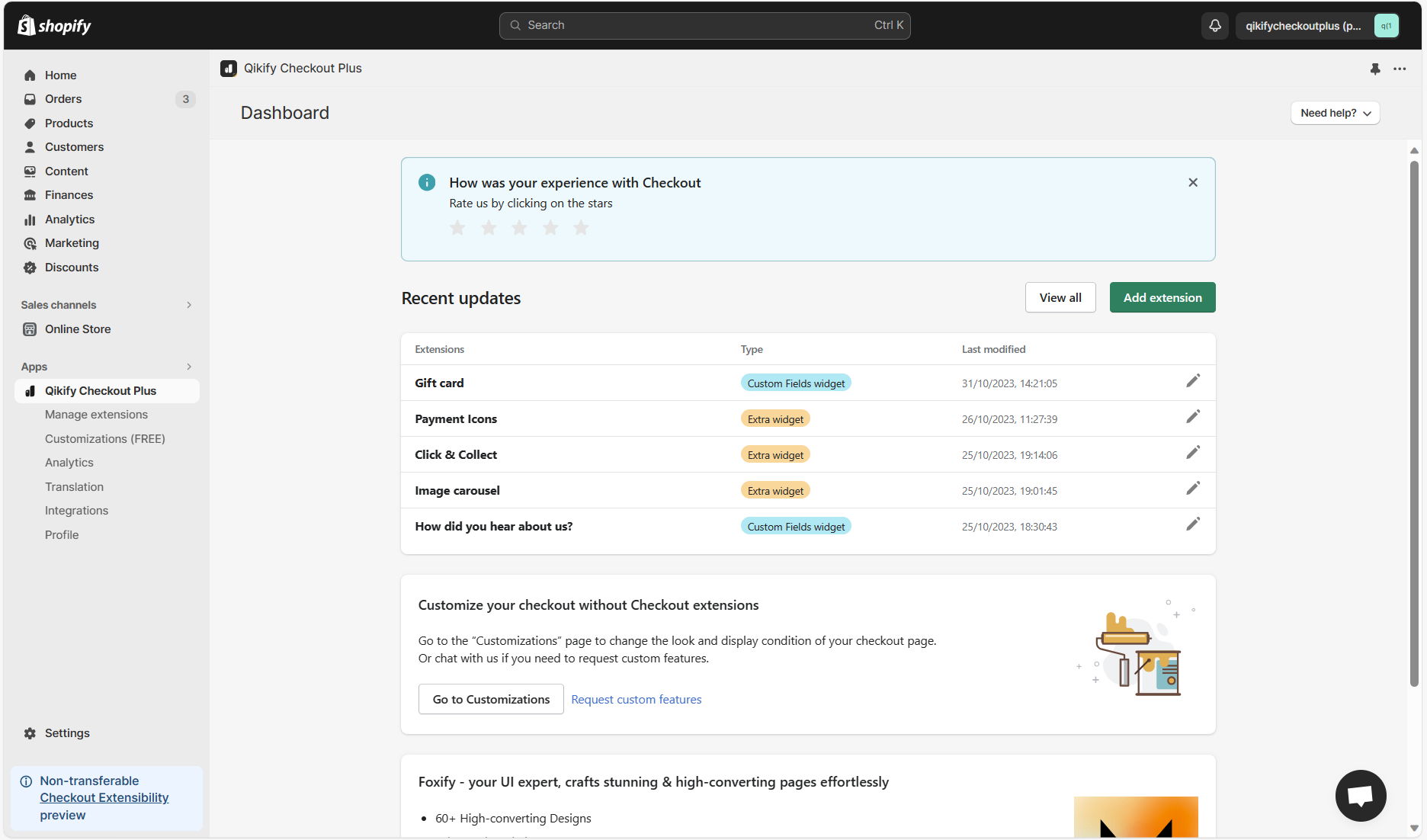
Step 1: Log in app dashboard

Log in to your store admin and open "Qikify Checkout Plus" app. If you haven't installed our app, you can free to do it from here.

qikify checkout customizer app dashboard - shopify checkout customization app

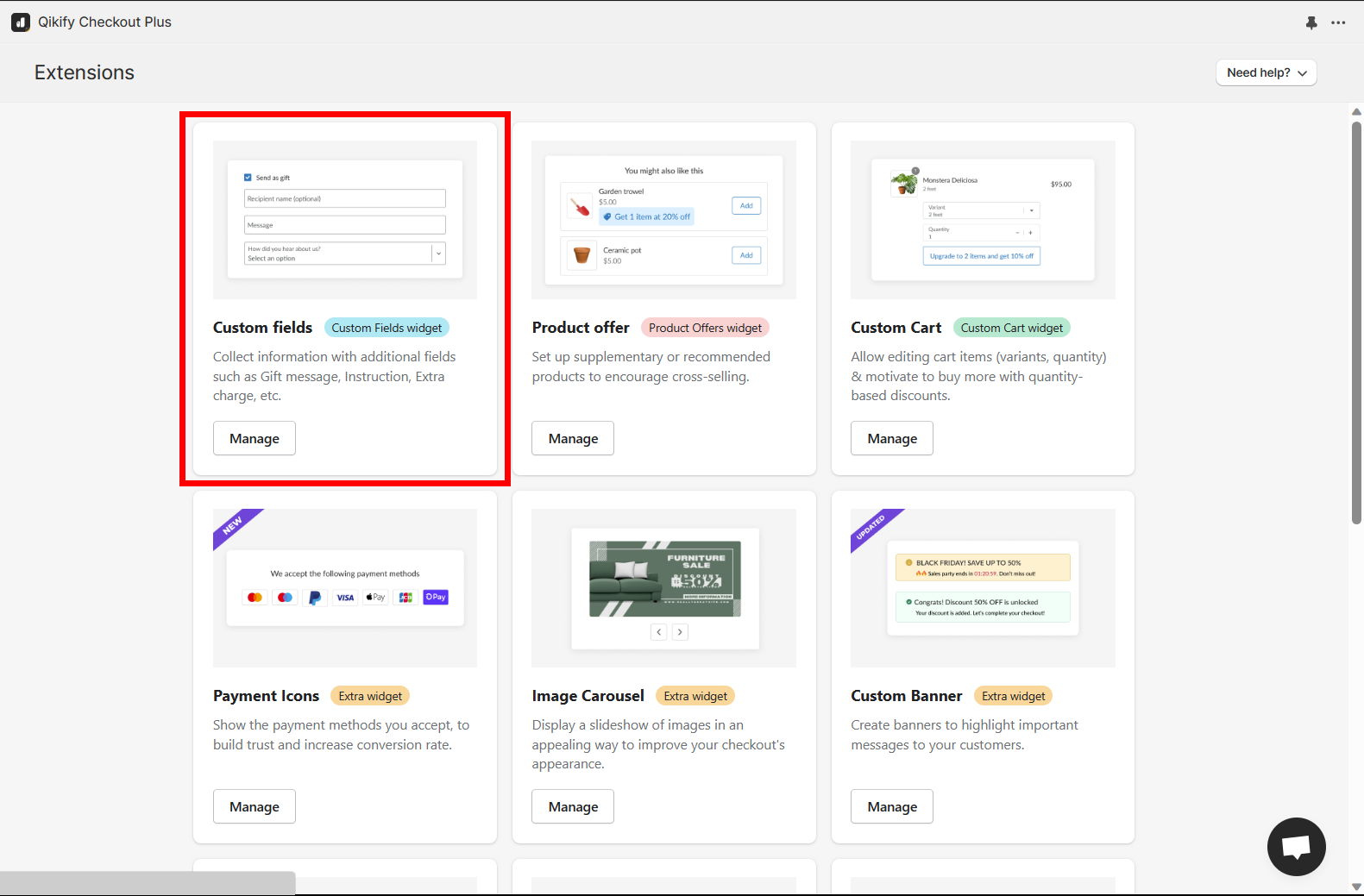
Step 2: Add extension "Custom Fields"

Click on "Add extension" button in the app dashboard, then select "Custom Fields" extension

add checkout extension testimonial for setup - shopify checkout customization app

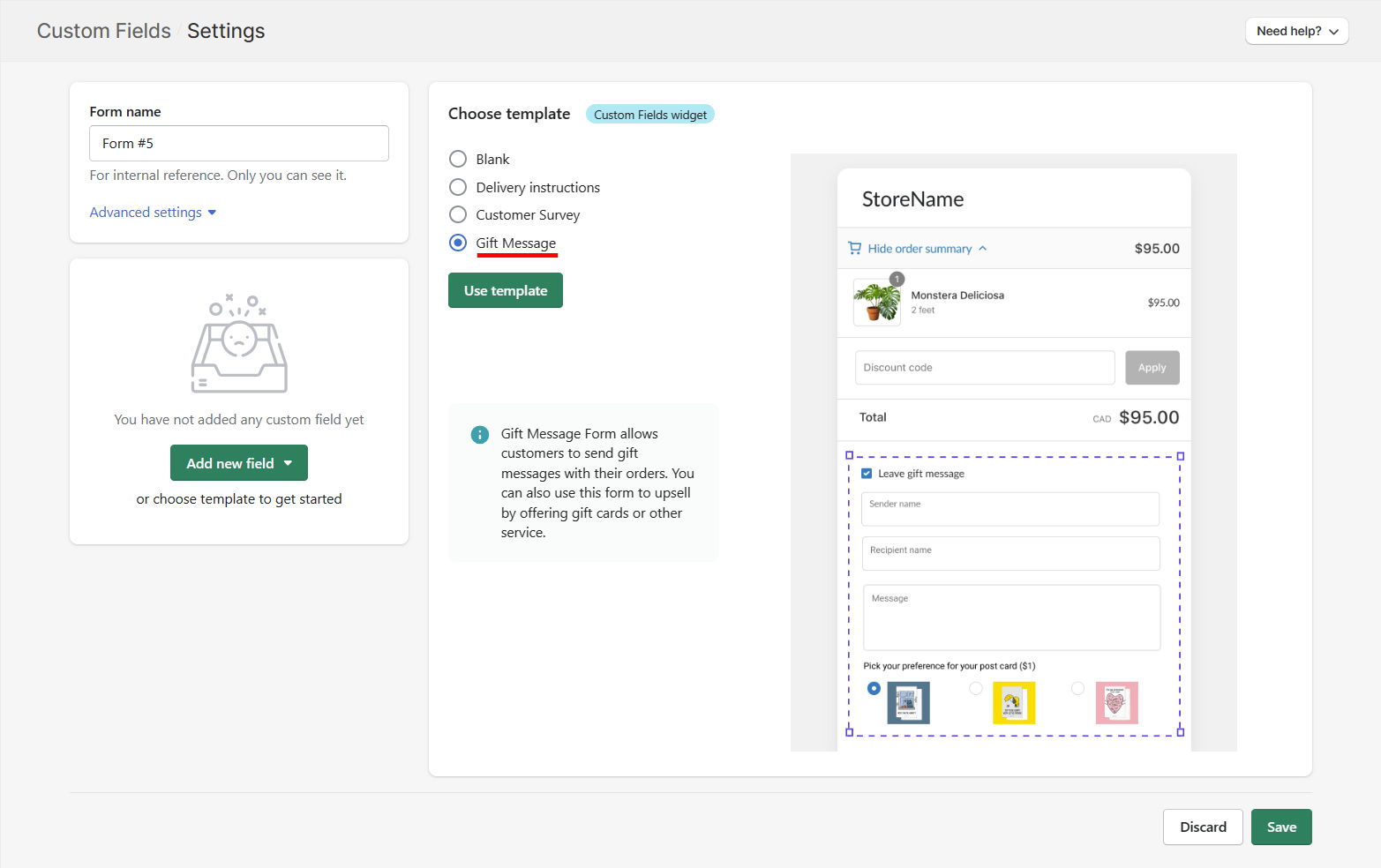
Step 3: Adjust "Gift Message" template to fit your service requirements

Amongts our preset templates, you can choose "Gift Message" and use that template to save configuration time. Then, you can adjust the template to your needs. Click "Save" to finish.

add reviews for testimonials extension in checkout page - shopify checkout customization app

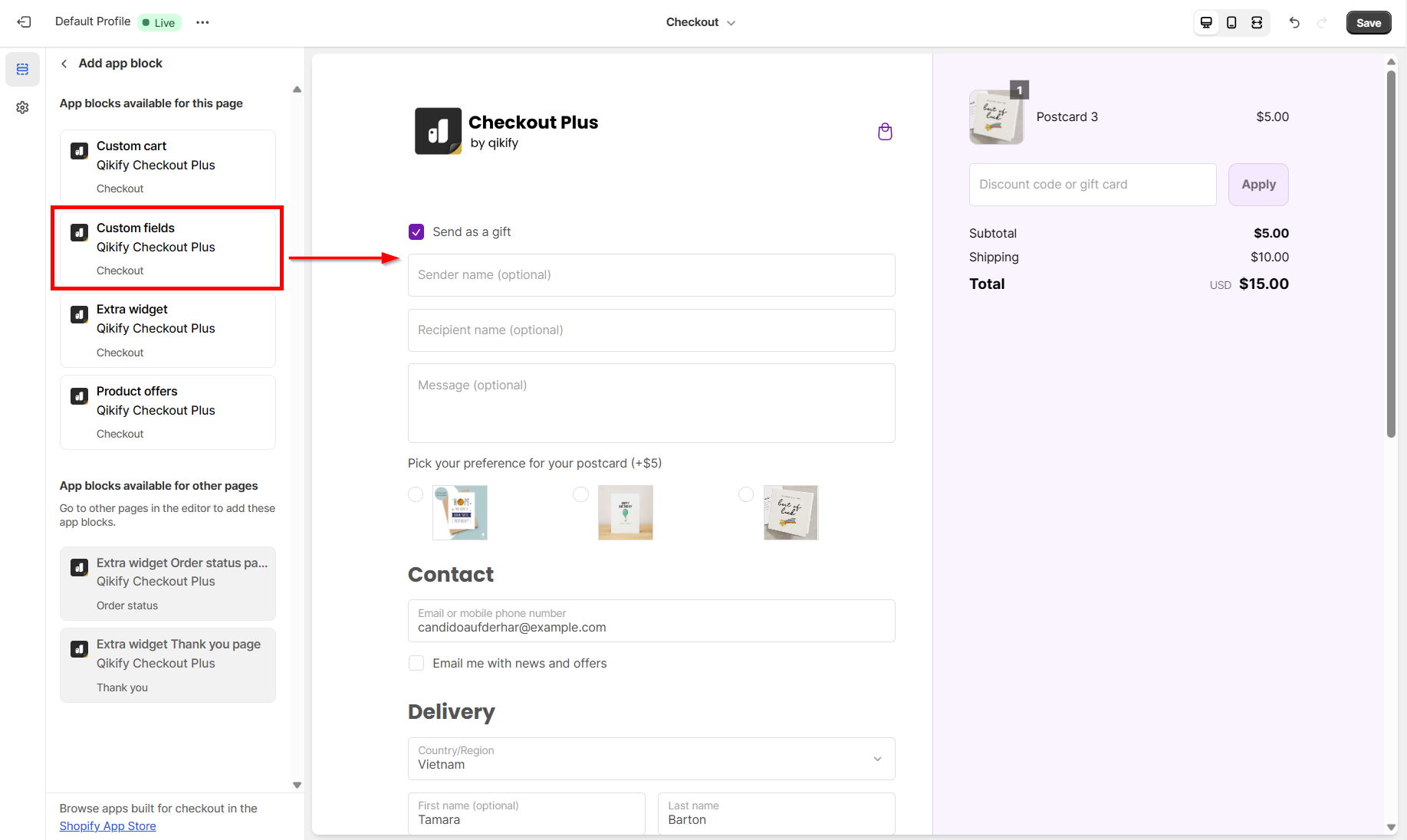
Step 4: Add extension to checkout editor

  • Open Shopify Settings > Checkout. Then click on "Customize" to open checkout editor
  • Click on "Add app block" on the left panel and choose "Custom fields" > Drag and drop the form in the editor to adjust its placement in checkout page
add reviews for testimonials extension in checkout page - shopify checkout customization app

Demo video

about the author

Lauren Nguyen

Lauren Nguyen

Qikify グロースマーケティングスペシャリスト

こんにちは!Qikifyのデータドリブンなマーケター、ローレンです。 私のミッションは、ShopifyをはじめとするECマーチャントの皆さまに、オンラインストアの成長と売上アップに直結する価値あるインサイトと効率的なソリューションをお届けすることです。 この業界に関わって以来、常に「皆さまの成功を後押しすること」を目標に、知識やノウハウを共有してきました。 マーケティングに夢中でないときは、美味しい朝のコーヒーで1日をスタートしています。(正直なところ、午後の一杯が必要な日も多いですが!☕) LinkedInでもお気軽にご連絡ください。マーケティング仲間やストアオーナーの皆さまとお話ししたり、新しいアイデアやコラボレーションの機会を見つけるのが大好きです。 一緒に、あなたのオンラインビジネスをさらに高みへと成長させましょう!